
Introduction
Managing multiple social media accounts can quickly become overwhelming. A creator may need to publish content on Instagram, Facebook, LinkedIn, TikTok, X (Twitter), and other platforms while also replying to comments, checking analytics, and maintaining brand consistency.
The challenge is not only creating content; it is organizing the entire workflow. Without a proper system, you can waste hours switching between tabs, miss important messages, publish inconsistently, and struggle to understand which platforms are actually delivering results.
Learning how to manage multiple social media accounts effectively requires more than simply posting the same content everywhere. You need the right tools, a structured content calendar, automation where appropriate, and a workflow that helps you stay productive without burning out.
In this guide, you will learn practical methods to manage multiple social profiles, compare useful social media management tools, build a cross-platform workflow, improve security, and create a daily routine that saves time.
Whether you are a solo creator, freelancer managing client accounts, or a small business owner, these strategies will help you build a more organized social media system.
Why Managing Multiple Social Accounts Leads to Quick Burnout
Managing several social media profiles becomes difficult when every platform requires separate attention. Each channel has different audiences, content formats, posting schedules, and engagement expectations.
Many creators experience tab-switching fatigue because they constantly move between different apps and dashboards. One minute they are replying to Instagram comments, the next they are scheduling LinkedIn posts or checking Facebook messages.
This fragmented workflow creates several problems:
- Missed comments and customer messages
- Inconsistent posting schedules
- Difficulty tracking performance
- Duplicate work across platforms
- Reduced time for content creation
For example, a small business owner managing Instagram, Facebook, and LinkedIn manually might spend several hours every week performing repetitive tasks that could be organized through a centralized system.
A better approach is to create a cross-platform social media workflow where content planning, scheduling, publishing, and analytics are managed from a more organized process.
Common Problems When Managing Multiple Accounts
1. Creating Different Content for Every Platform
One of the biggest mistakes is treating every platform exactly the same.
A LinkedIn audience may prefer detailed professional insights, while Instagram users may respond better to visual content and short captions. TikTok audiences usually expect quick, entertaining videos.
The solution is not creating completely new content every time. Instead, use a content repurposing strategy that adapts one main idea into different formats.
2. Losing Track of Engagement
Comments, direct messages, and customer questions are easy to miss when they are spread across multiple applications.
Delayed responses can affect audience trust and reduce opportunities for building relationships.
A unified inbox helps bring conversations from different platforms into one place, making community management easier.
3. Inconsistent Publishing Schedule
Many accounts fail because posting depends on motivation rather than a system.
Without a content calendar, creators often experience:
- Several posts in one week
- No activity for weeks
- Last-minute content creation
- Poor audience engagement
A planned publishing schedule creates consistency and makes growth easier to measure.

Step 1: Audit Your Channels and Eliminate Low-Value Profiles
Before adding more tools or automation, first analyze your existing social media accounts.
Many businesses manage too many platforms without knowing whether those channels actually contribute value.
The first step in learning how to manage multiple social media accounts is understanding where your audience spends time and which platforms generate meaningful results.
Analyze Each Platform Performance
Review your accounts and ask:
- Which platform brings the most website traffic?
- Where do you receive the highest engagement?
- Which channel generates leads or sales?
- How much time does each platform require?
- Does the audience match your business goals?
Create a simple evaluation table:
| Platform | Engagement | Business Value | Time Required | Decision |
| High | High | Medium | Continue | |
| Medium | Medium | High | Optimize | |
| High | High | Medium | Increase Focus | |
| Low-performing channel | Low | Low | High | Consider Reducing |
The goal is not to be everywhere. The goal is to be effective where your audience is active.
Remove or Reduce Low-Value Channels
A common misconception is that successful brands must maintain every possible social network.
In reality, spreading resources too thin can damage content quality.
Consider reducing activity on platforms that:
- Do not attract your target audience
- Require too much effort for minimal results
- Have no measurable business impact
You can always return to these platforms later when you have more resources.
Step 2: How to Manage Multiple Social Media Accounts With a Unified Dashboard
After auditing your channels, the next step is creating a centralized management system.
A social media scheduling tool helps you plan, organize, and publish content across multiple platforms without managing each account separately.
This reduces repetitive tasks and creates a more efficient workflow.
Best Tools to Manage Multiple Social Media Accounts
Different tools are designed for different users. Some focus on simple scheduling, while others provide advanced analytics and team collaboration features.
| Tool | Best For | Key Features |
| Buffer | Beginners and creators | Simple scheduling, analytics, content planning |
| Hootsuite | Businesses and teams | Social monitoring, team management, reporting |
| Later | Visual content creators | Instagram planning, visual calendar |
| Metricool | Analytics-focused users | Performance reports, scheduling, competitor insights |
| Meta Business Suite | Facebook & Instagram users | Free publishing and message management |
Free vs Paid Social Media Management Tools
| Feature | Free Tools | Paid Tools |
| Post Scheduling | Limited | Advanced scheduling |
| Analytics | Basic | Detailed reports |
| Team Access | Limited | Multiple users |
| Automation | Basic | Advanced workflows |
| Customer Support | Limited | Priority support |
The right workflow makes it easier to manage multiple social media accounts without switching between different platforms every day.
Free tools are suitable for beginners who manage a few accounts. However, freelancers, agencies, and growing businesses often benefit from paid features because they save significant time.
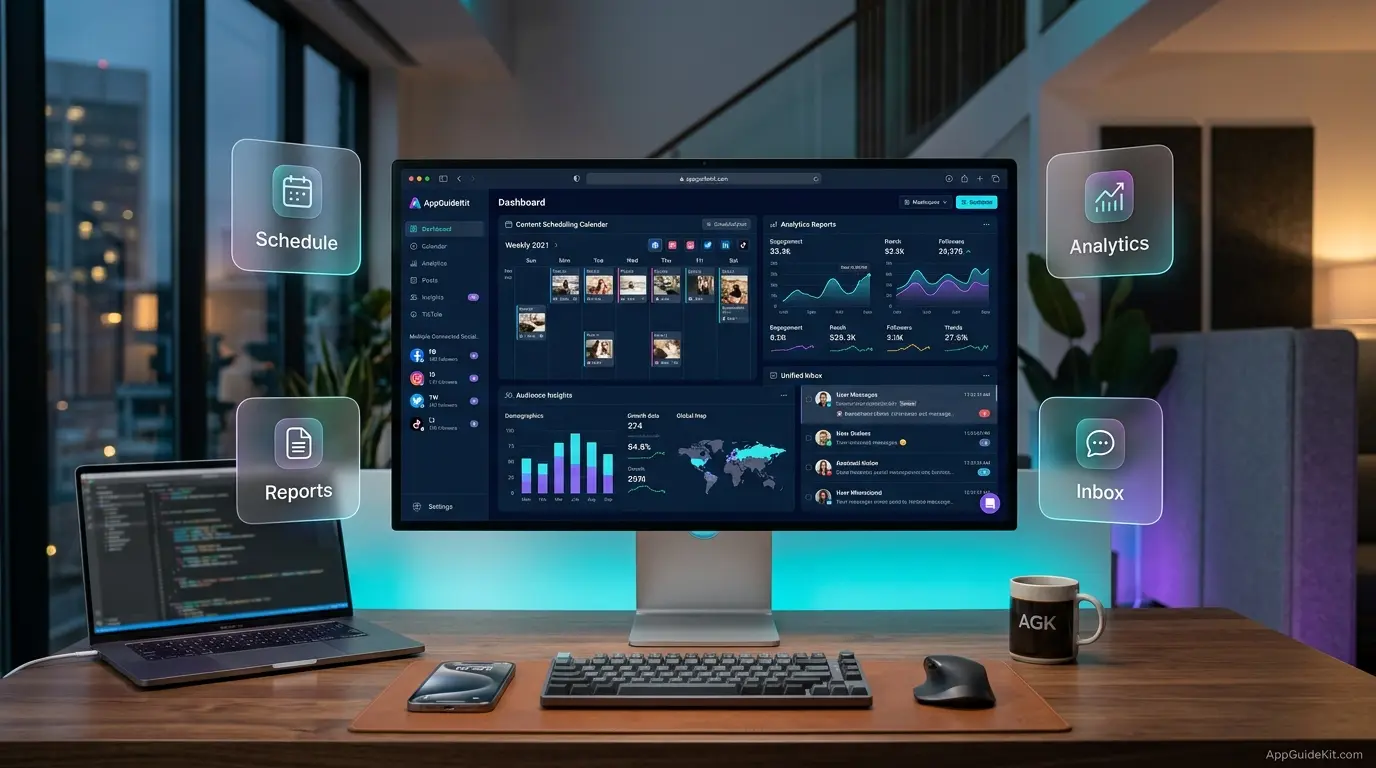
How a Unified Dashboard Improves Workflow
A centralized dashboard helps you:
- Plan posts in advance
- Maintain a unified social media content calendar
- Monitor important conversations
- Review analytics from multiple platforms
- Reduce manual posting tasks
Instead of opening six different apps every morning, you can manage essential activities from one organized workspace.
Step 3: Build a Shared Content Calendar and Asset Repository
A structured content calendar is one of the most important systems for managing multiple social media accounts efficiently.
Many creators also use AI tools for productivity to speed up content planning, writing, and workflow management.
A unified social media content calendar helps you organize:
- Publishing dates
- Content topics
- Platform-specific formats
- Campaign schedules
- Important events
- Brand announcements
Instead of managing random posts across different platforms, you create a predictable publishing workflow.
What Your Content Calendar Should Include
A professional social media calendar should contain:
| Element | Purpose |
| Content Topic | Defines the main idea |
| Platform | Shows where content will be published |
| Format | Video, image, carousel, text post |
| Publishing Date | Maintains consistency |
| Status | Draft, review, scheduled, published |
| Performance Notes | Helps improve future content |
For example:
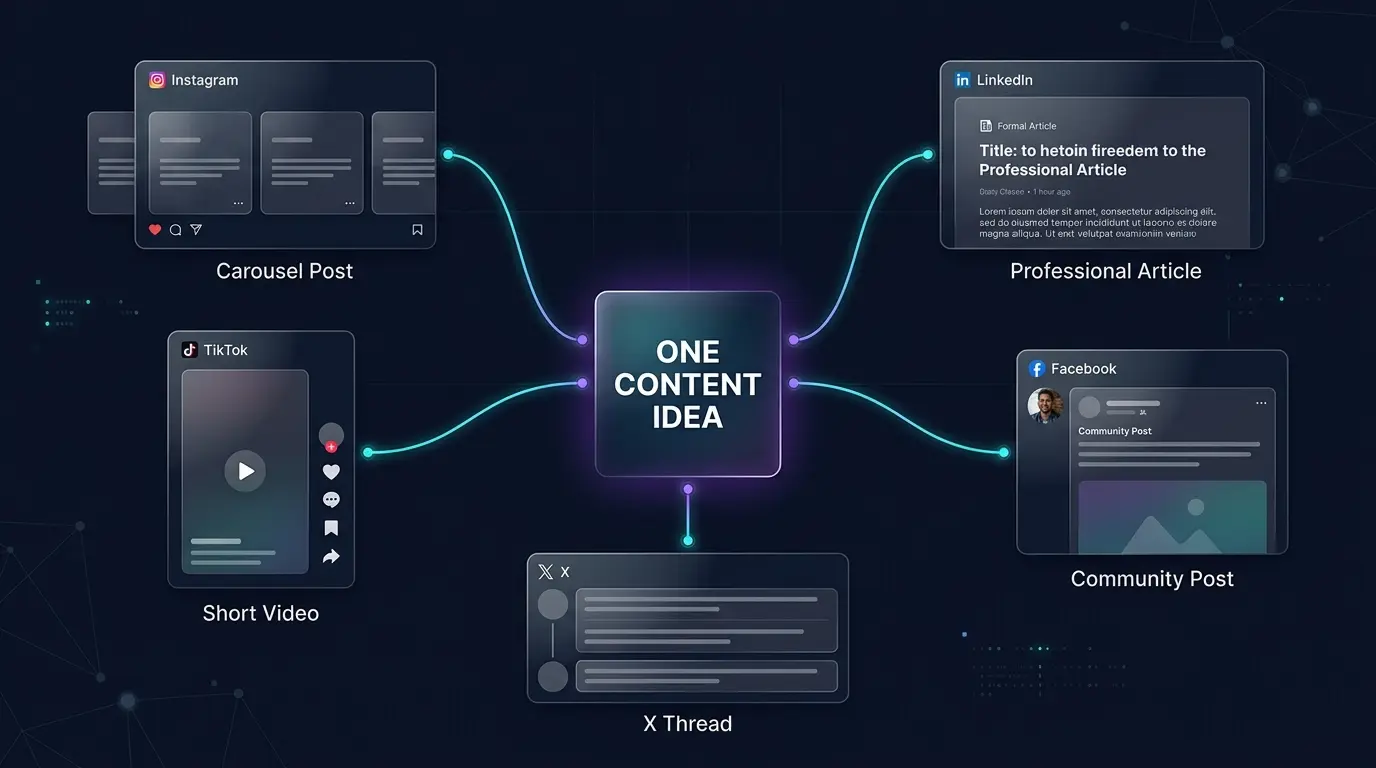
A single topic like “AI productivity tools” can become:
- Instagram carousel explaining key features
- LinkedIn article about workplace productivity
- TikTok video showing quick tips
- Facebook post with discussion questions
- X thread summarizing important points
This approach saves time while keeping your content consistent.
Create an Organized Asset Library
Managing multiple accounts also requires managing multiple files.
Images, videos, logos, thumbnails, captions, and templates should not be scattered across different devices.
Create a centralized asset repository with folders such as:
Content Assets
- Brand Images
- Video Clips
- Templates
- Social Media Captions
- Campaign Materials
- Published Content
A well-organized library helps freelancers and teams find resources quickly.
It also improves brand consistency because everyone uses approved designs, colors, and messaging.
Step 4: Master the Content Repurposing Matrix (1 Piece to 5 Platforms)
Every platform requires a different content approach. Instagram, for example, needs strong optimization strategies to improve visibility and engagement.
A better strategy is building a content repurposing matrix where one valuable piece of content becomes multiple platform-specific posts.
This method allows creators and businesses to increase output without increasing workload.

Example: Turning One Blog Post Into Multiple Social Posts
Imagine you publish an article about “Best AI Tools for Small Businesses.”
That single article can become:
| Platform | Content Format |
| Carousel explaining 5 AI tools | |
| Professional productivity insights | |
| TikTok | Short educational video |
| Community discussion post | |
| X (Twitter) | Quick tips thread |
The key is adaptation.
Avoid copying identical content everywhere because each platform has different user expectations.
How to Keep Brand Consistency Across Multiple Social Channels
Brand consistency does not mean posting the exact same thing everywhere.
It means maintaining:
- Similar brand voice
- Consistent visual identity
- Recognizable messaging
- Similar audience experience
Create brand guidelines that define:
- Writing style
- Colors
- Image preferences
- Caption structure
- Hashtag usage
This makes your business look professional across every platform.
Step 5: Consolidate Engagement Using a Unified Inbox
Publishing content is only one part of social media management.
Audience engagement is equally important.
Customers may contact you through:
- Instagram direct messages
- Facebook Messenger
- LinkedIn messages
- Comments
- Mentions
Managing these separately can cause delayed responses.
A unified inbox brings conversations into one dashboard so you can respond faster.
Benefits of a Unified Inbox
A centralized engagement system helps you:
- Reply to customer questions quickly
- Track important conversations
- Avoid missed messages
- Improve customer relationships
- Manage client accounts more efficiently
For freelancers managing multiple clients, this feature is especially useful because it reduces confusion between different brands.
Advanced Security Rules to Prevent Account Bans & Shadowbans
Managing multiple accounts requires strong security practices.
Following safe publishing practices can help avoid Instagram reach problems and account visibility issues.
A professional workflow should prioritize account protection.
Password Hygiene, 2FA, and Secure API/OAuth Permissions
Strong security begins with basic protection methods.
Follow these practices:
Use Unique Passwords
Never use the same password for multiple accounts.
If one account is compromised, other profiles may also become vulnerable.
Enable Two-Factor Authentication (2FA)
Two-factor authentication adds an additional security layer by requiring a verification code during login.
Enable it on:
- Social media accounts
- Email accounts
- Management tools
Review Third-Party Access
Many social media tools connect through API or OAuth permissions.
Regularly check:
- Which apps have account access
- Which permissions they use
- Whether access is still required
Remove unnecessary connections.
Avoiding Automated Spam Triggers and Cross-Posting Penalties
Automation is useful, but excessive automation can create problems.
Avoid:
- Publishing identical posts repeatedly
- Excessive commenting automation
- Using unreliable growth tools
- Sending too many messages quickly
Social platforms usually prefer authentic engagement.
Use automation for:
- Scheduling
- Planning
- Reporting
- Organization
Not for replacing genuine interaction.
The 30-Minute Daily Multi-Account Routine for Solo Creators
You do not need to spend your entire day managing social media.
A structured routine can help you complete important tasks quickly.
Here is a practical 30-minute workflow:
First 10 Minutes: Check Engagement
Review:
- Comments
- Direct messages
- Mentions
- Customer questions
Respond to important conversations first.
Next 10 Minutes: Content Management
Review:
- Scheduled posts
- Upcoming content
- Captions
- Visual assets
Make small improvements before publishing.
Final 10 Minutes: Analytics Review
Check:
- Best-performing posts
- Audience activity
- Engagement trends
- Content ideas
Use this information to improve future content.
This simple routine prevents social media management from becoming overwhelming.
How to Build an Emergency Response Plan for Scheduled Posts
Scheduled content saves time, but unexpected events can create problems.
For example:
- Breaking news
- Industry changes
- Sensitive events
- Brand reputation issues
A scheduled promotional post during a crisis may appear inappropriate.
That is why every business should have an emergency response plan.
Create a Content Pause System
Your workflow should include:
- A quick way to pause scheduled posts
- A person responsible for approval
- A review process during important events
Before major campaigns, ask:
- Is the content still relevant?
- Could it be misunderstood?
- Does it match current events?
Use a Crisis Communication Checklist
During unexpected situations:
- Pause unnecessary scheduled posts
- Review active campaigns
- Prepare an appropriate response
- Communicate clearly with your audience
- Resume normal posting when suitable
Preparation reduces mistakes and protects brand reputation.
Frequently Asked Questions
How do I manage multiple social media accounts for free?
If you want to learn how to manage multiple social media accounts for free. You can manage multiple social media accounts for free by using tools like Meta Business Suite, free versions of Buffer, and platform-native scheduling options. Start with a content calendar, organize your assets, and focus only on platforms that provide real value.
Can you schedule posts to all social media platforms at once?
Yes, many social media management tools allow you to schedule posts across multiple platforms. However, the best results usually come from customizing content slightly for each platform instead of publishing identical posts everywhere.
How do I avoid getting banned when automating social posts?
Avoid spam-like behavior, unreliable automation services, excessive posting, and suspicious login activity. Use trusted scheduling tools, enable security features, and maintain natural audience interaction.
What is the best app to handle multiple Instagram accounts?
The best app depends on your needs. Meta Business Suite works well for basic Instagram and Facebook management, while tools like Buffer, Later, and Metricool provide additional scheduling and analytics features.
How much time should I spend managing social media daily?
The required time depends on your number of accounts and goals. Many solo creators can handle basic management with a focused 30-minute daily routine, while larger brands may require dedicated teams.
Summary of Multi-Account Management Best Practices
Successfully managing multiple social media accounts requires a system, not constant manual effort.
The most effective approach includes:
- Auditing platforms regularly
- Using centralized management tools
- Creating a content calendar
- Repurposing content intelligently
- Organizing digital assets
- Monitoring engagement
- Protecting accounts with security practices
- Reviewing analytics consistently
A structured workflow helps you maintain quality while reducing stress.
Final Thoughts on Scaling Your Social Presence Without Burnout
Learning how to manage multiple social media accounts is about building smarter systems, not working longer hours.
The right combination of tools, planning, automation, and consistent review can help creators, freelancers, and businesses maintain a strong online presence without feeling overwhelmed.
Start by simplifying your workflow. Focus on platforms that matter, create reusable content systems, and use management tools that match your goals.
When your social media process becomes organized, growth becomes easier to manage and your time can be invested into creating better content.