Free WordPress themes and plugins can save money, but an outdated download can also create compatibility, security, or performance problems. That’s why this comprehensive WPDevShed safety review looks beyond design and asks the question that matters most in 2026: should you install these resources on a live website?
WPDevShed is a long-running WordPress resource site that publishes tutorials, hosting content, free themes, and plugins. Its current homepage still highlights themes such as Looper, Super fit, Cartel, and Blue Chip. The useful part is the choice. The catch is that some assets are much older than the articles around them.
This guide explains what WPDevShed offers, how its themes and plugins compare with WordPress.org, what current repository records reveal about maintenance and safety, and how to test any download before activation. If you’re a beginner or budget-conscious site owner, this workflow can help you avoid unnecessary risk.
Once your WordPress setup is ready, choosing topics people actually search for matters just as much. Our guide to finding low-competition keywords for free can help you plan content that has a better chance of ranking.If you’re also looking for simple tools to make everyday content and website tasks easier, check out these 5 easy AI tools anyone can use without technical skills.
What Is WPDevShed? An Overview of the Platform
WPDevShed is an independent WordPress-focused website offering free themes, selected plugins, tutorials, hosting reviews, and development resources. Its About page says the project started in 2012 as a way to learn WordPress theme development and later expanded into a broader resource site.
Its main offerings include:
- Free classic WordPress themes.
- WordPress plugins and plugin-related content.
- Tutorials and development guides.
- Hosting and software reviews.
- Legacy themes that may still interest developers and learners.
Here’s the thing: WPDevShed isn’t the official WordPress repository. Some of its themes also appear on WordPress.org, where you can check update history, support information, compatibility data, and maintenance warnings. The official WP Dev Shed profile currently lists multiple published themes.
That makes asset-by-asset verification more useful than a blanket safety label.
WPDevShed Free WordPress Themes: Quality & Design
Its free WordPress themes mainly target blogs, news sites, business websites, and content-heavy projects. Themes such as Looper and Cartel use featured images, classic sidebars, masonry-style layouts, and Customizer controls.
The bigger issue in 2026 is maintenance. WordPress.org lists Looper version 1.0.8 as last updated on February 27, 2022, and warns that it may no longer be maintained or fully compatible with recent WordPress versions. Blue-chip shows a similar warning and a July 13, 2020, update date.

What Beginners Should Check Before Installing
Check these five things first:
- Last update date
- Supported WordPress and PHP versions
- Mobile responsiveness
- Compatibility with key plugins
- Recent support activity
💡 Pro Tip: If you like an older design, test it on staging first. A good-looking demo doesn’t prove that the theme is suitable for a modern production site.
Evaluating Plugins: Features, Utility, and Risks
The homepage still presents projects such as WP Product Selector, WP Image Embeds, and WP App Bar. Their ideas are practical, but current maintenance matters more than the original feature list.
For example, WordPress.org says WP App Bar was closed on February 27, 2026, because of a security issue and is no longer available for download there. WP Image Embeds was closed on December 3, 2025, for a guideline violation.
Pricing, Requirements, and Support
Many resources are free, with no single paid plan. Requirements vary by asset.
Before installing a plugin, confirm its current repository status, last update, supported WordPress/PHP versions, changelog, and support history. If an official listing has been closed, don’t download an old copy from an unknown mirror.
⚠️ Warning: A historical plugin page is not the same thing as a current safety approval.
Is WPDevShed Safe in 2026? A Practical Security Audit
The site is a long-running WordPress resource, but that doesn’t make every old download automatically safe for a modern website. Safety should be judged at the theme or plugin level.
WordPress recommends trusted sources such as its repository or established companies, and plugins with security problems may be closed until resolved.

Security Checklist Before You Install
Before activating any download:
- Prefer to the WordPress.org version when available.
- Check update dates, closure notices, and support activity.
- Scan the ZIP with reputable security tools.
- Test it on staging with debugging enabled.
- Watch for suspicious PHP, external requests, or unexpected admin changes.
- Back up your files and database before production deployment.
WordPress’s own hardening guidance stresses trusted download sources, backups, and preparation as core security practices.
✅ Key Takeaway: Is this source safe? The site can be useful, but the name itself isn’t a security certification. Verify every asset before trusting it.
Official Repository Comparison: Which Is Better?
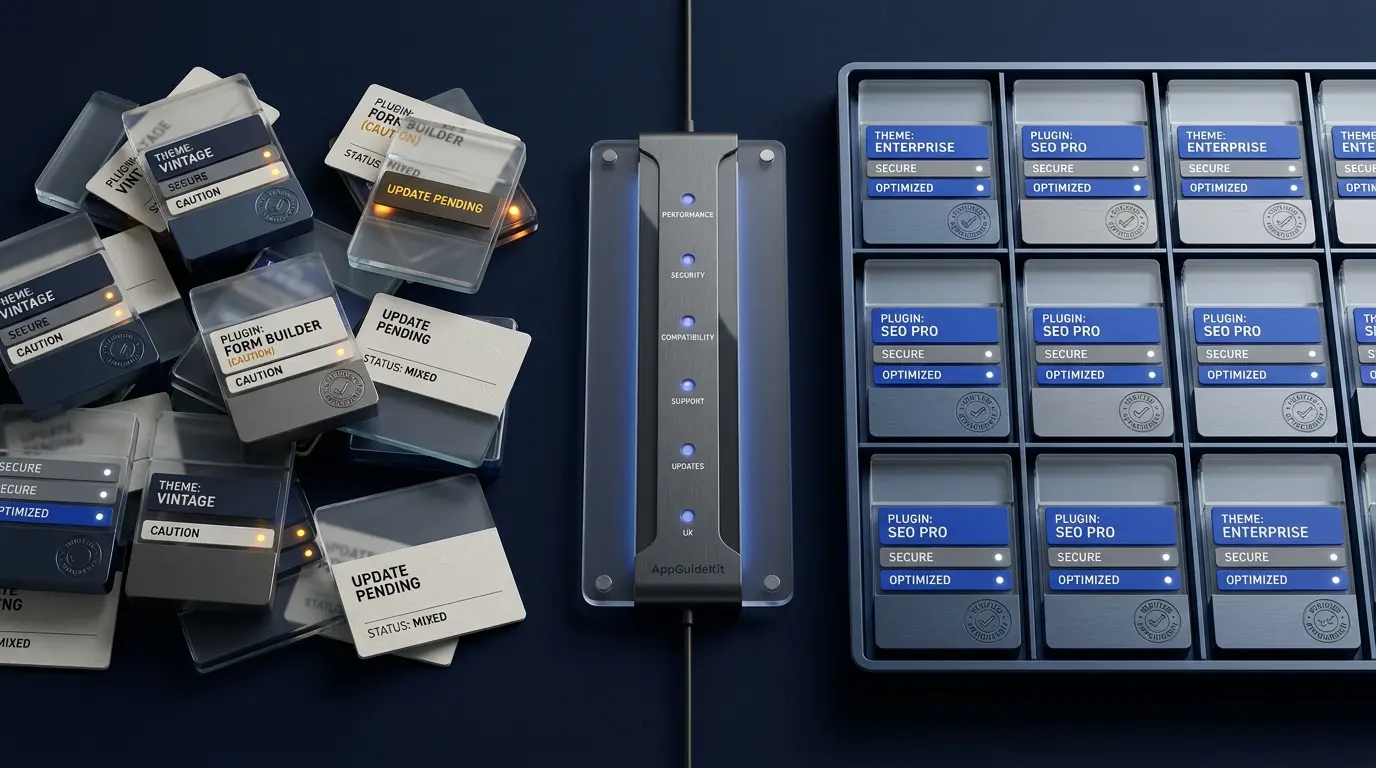
For most beginners, WordPress.org is the better default installation source. WPDevShed can still help with discovery and learning, but the official repository offers clearer maintenance and review signals.
| Criteria | WPDevShed | WordPress.org |
| Free themes/plugins | Yes | Yes |
| Update status | Varies | Clearly shown |
| Public support history | Varies | Usually available |
| Review rules | Independent | Formal directory rules |
| Closure notices | May be less visible | Clearly displayed |
| Dashboard installation | Not always | Yes |
WordPress themes face published review requirements, while plugin rules cover licensing, behavior, and security. That doesn’t make every item risk-free, but it gives you more information before installation.
Simply put, use WPDevShed for discovery, then verify the specific resource on WordPress.org whenever possible.
Performance Impact: Will These Themes Slow Your Site?
A theme won’t automatically slow your site because of where it came from. Performance depends on images, scripts, fonts, database queries, hosting, and the other plugins you use. Older themes simply deserve more careful testing.
A Simple Performance Test
Create a staging copy, record a baseline, activate the theme, then compare:
- Largest Contentful Paint (LCP)
- Interaction to Next Paint (INP)
- Cumulative Layout Shift (CLS)
- Total page weight
- CSS and JavaScript requests
- Server and database behavior
Run tests more than once. If speed drops, check oversized images, sliders, web fonts, render-blocking CSS, and old scripts.
WordPress’s theme-testing documentation also recommends using a development environment and testing code quality, compatibility, responsiveness, debugging, and performance before release or deployment.
📝 Note: This review doesn’t invent benchmark scores. Your hosting, content, plugins, and test conditions can change the result, so a controlled before-and-after test is more useful.
Safe Testing Workflow for Themes and Plugins
The safest approach is to keep new downloads away from your live website until they pass basic checks. WordPress training material recommends staging or development environments for testing changes without risking production.

Safe Testing Workflow
- Create a full backup of files and database.
- Build a staging copy through your host, a staging plugin, a local setup, or WordPress Playground.
- Verify the source against WordPress.org when possible.
- Scan the package before activation.
- Activate one item at a time.
- Enable debugging and check PHP/JavaScript errors.
- Test real pages including forms, login, search, and mobile layouts.
- Compare performance with your baseline.
- Deploy only after clean testing.
WordPress Playground can run isolated browser-based tests without changing your live site. Its current documentation specifically supports testing themes and plugins in controlled WordPress environments.
🔥 Quick Tip: Take screenshots before and after activation. Visual comparison makes layout problems much easier to spot.
Pros and Cons for WordPress Site Owners
The platform still has value as a learning and discovery resource, but its downloadable library includes older assets that require extra checking.
Pros
- Free themes and WordPress resources.
- Simple classic designs.
- Long history in the WordPress ecosystem.
- Some themes have WordPress.org listings.
- Useful tutorials and related content.
Cons
- Several themes have long update gaps.
- Some plugin listings are outdated or closed.
- Free-resource support can be limited.
- Legacy themes may not fit modern block workflows.
- More manual verification is required.
Best for: developers, learners, and experienced site owners comfortable with staging and testing.
Not ideal for: beginners who want a low-maintenance production site with active support and frequent updates.
Top Alternatives for Safer WordPress Resources
If you want clearer maintenance signals, start with current official or well-supported sources.
- WordPress.org Themes: Good for free themes with public update, support, and compatibility information.
- WordPress.org Plugins: Good for changelogs, compatibility details, reviews, and closure notices.
- WordPress Playground: Useful for isolated theme and plugin testing.
- Established theme companies: Better when you need documentation, support, and premium features.
- Known GitHub developers: Useful for technical users who can review releases, issues, and source code.
The official theme directory provides searchable theme information and access to support, code, versions, and related documentation. Playground offers another useful route for testing without modifying a production site.
Popularity alone doesn’t guarantee safety. Check maintenance and compatibility every time.
For a new business site, I’d usually choose a recently maintained repository theme or a well-supported commercial product over a legacy download.
Final Verdict: Is It Worth Your Time in 2026?
Yes, WPDevShed is still worth visiting for WordPress ideas, tutorials, theme discovery, and historical resources. But I wouldn’t treat every download as production-ready.
The main 2026 concern is maintenance. Some themes from the site carry “not updated in over two years” warnings on WordPress.org, while WP App Bar was closed for a security issue in February 2026.
My recommendation is straightforward: use WPDevShed as a resource library, then verify each theme or plugin through current official records. Scan it, test it on staging, and measure performance before launch. If you want the easiest path with less maintenance risk, choose a recently updated WordPress.org resource or a well-supported commercial alternative.
Frequently Asked Questions for WordPress Users
What Is WPDevShed?
WPDevShed is a WordPress-focused website offering themes, plugin-related resources, tutorials, hosting content, and development guides. The site says it began in 2012. It’s useful for discovering classic resources, but verify current maintenance and compatibility before installing anything.
Is WPDevShed Safe to Use in 2026?
WPDevShed can be useful, but safety depends on the individual resource. Some themes are old, and WP App Bar was closed on WordPress.org in February 2026 because of a security issue. Check official listings, update history, scan results, and staging behavior before installing anything on a live site.
Are Free WordPress Themes From the Site Safe?
Some of its themes were accepted into the official WordPress theme directory, which is a positive historical signal. However, several listings now warn that they haven’t been updated in years. Old themes may face compatibility or security concerns, so check their current status and test them before production use.
How Do I Install a Theme From the Site?
Download the theme ZIP from a trusted source. In WordPress, go to Appearance > Themes > Add New > Upload Theme, choose the ZIP, and install it. Don’t activate it on a live site first. Test it on staging, inspect key pages, and make sure no PHP or JavaScript errors appear.
How Do I Scan Downloaded Themes for Malware?
Use a reputable malware or antivirus scanner before activation, then inspect the extracted files if you’re comfortable reading code. On staging, use WordPress security tools and watch for unexpected file changes, external requests, new admin users, or obfuscated PHP. Only deploy the theme after it passes those checks.
Do These Themes Work With Modern WordPress?
Some may still work, but compatibility isn’t guaranteed. Looper’s official listing, for example, shows its last update in February 2022 and warns about possible issues with newer WordPress versions. Test the exact theme against your current WordPress and PHP versions before depending on it.
Are the Plugins Free?
The site has historically offered or promoted free plugins, and its homepage still lists plugin projects. Availability can change, though. Always check whether a plugin remains available through WordPress.org and whether it has a current release. Avoid unofficial mirrors when the official listing has been closed.
What Are the Best Alternatives to This Platform?
The WordPress.org directories are a strong starting point because they show updates, support, compatibility, and closure notices. Playground helps with testing, while premium developers may provide stronger ongoing support.
Should Beginners Use These Resources?
Beginners can use the site for learning and research, but they should be cautious with older downloads. For a first business or client site, a recently updated theme or plugin with active support is usually easier to maintain. If you choose a WPDevShed resource, follow a staging-first workflow.
WPDevShed remains an interesting part of the WordPress ecosystem, but the smart approach in 2026 is verification rather than blind trust. Check update history, prefer official repository copies, test everything on staging, and keep reliable backups.
The key takeaways are simple: don’t install outdated assets directly on production, don’t ignore closure or compatibility warnings, and don’t assume “free” means maintenance-free. If a resource from the site passes your security, compatibility, and performance checks, it may still be useful. If it doesn’t, choose a better-maintained option and protect the long-term health of your site.
If you’re also looking for simple tools to make everyday content and website tasks easier, check out these easy AI tools anyone can use without technical skills.