
Introduction
Gemini vs Claude has become one of the most searched AI comparisons as more people look for the right AI assistant for writing, coding, research, and everyday tasks. Both tools are powerful, but they are designed with different strengths.
Google Gemini focuses heavily on connecting AI with Google services, multimodal features, and productivity tools. Anthropic’s Claude is known for detailed conversations, long-form writing, and strong reasoning abilities.
Choosing between them can be confusing, especially if you are new to AI tools. The better option depends on what you need: creating content, writing code, analyzing documents, studying, or improving your daily workflow.
In this guide, we will compare Gemini and Claude in terms of features, writing quality, coding ability, pricing, context window, privacy, and real-world use cases.
Gemini vs Claude Quick Comparison (2026)

| Feature | Google Gemini | Anthropic Claude |
| Best For | Google users, productivity, research | Writing, reasoning, document analysis |
| Content Writing | Strong for research and drafts | Excellent for natural long-form writing |
| Coding | Strong coding support | Strong problem-solving and code explanations |
| Context Handling | Good for large files and conversations | Excellent for detailed analysis |
| Integration | Google Workspace, Gmail, Docs, Drive | Claude Artifacts and document workflows |
| User Experience | Simple for Google users | Clean and focused AI chat experience |
| Pricing | Free and premium options | Free and Claude Pro plans |
| Best Choice Depends On | Your workflow and daily needs | Your tasks and priorities |
What Are Gemini and Claude? A Simple Explanation
Before comparing Gemini vs Claude, it is important to understand what both AI tools actually do.
Many beginners think AI assistants are only chatbots, but modern AI tools can do much more. They can help write articles, explain difficult topics, analyze documents, generate ideas, assist with programming, and improve productivity.
What Is Google Gemini and How Does It Work?
Google Gemini is an artificial intelligence assistant developed by Google. It is designed to work across different types of information, including text, images, documents, and other data formats.
One of Gemini’s biggest advantages is its connection with Google’s ecosystem. Users who already use Google services may find Gemini easier to include in their daily routine.
Key Gemini Features:

- AI-powered conversations
- Text and image understanding
- Document analysis
- Research assistance
- Coding support
- Google Workspace integration
- Help with writing and brainstorming
For example, a student can use Gemini to summarize notes, a business user can use it to organize information, and a content creator can use it to generate article ideas.
Who Benefits Most From Gemini?
Gemini can be useful for:
- Google Workspace users
- Students
- Professionals using Gmail and Docs
- People who need AI research assistance
- Users who want a general-purpose AI assistant
What Is Anthropic Claude and Why Is It Popular?
Claude is an AI assistant created by Anthropic. It is designed with a strong focus on helpful conversations, detailed answers, reasoning, and safe AI interactions.
Many users choose Claude for tasks where they need clear explanations, structured writing, and careful analysis.
Claude models such as Claude Sonnet and Claude Opus are often used for:
- Long-form content creation
- Document analysis
- Research assistance
- Coding help
- Complex explanations
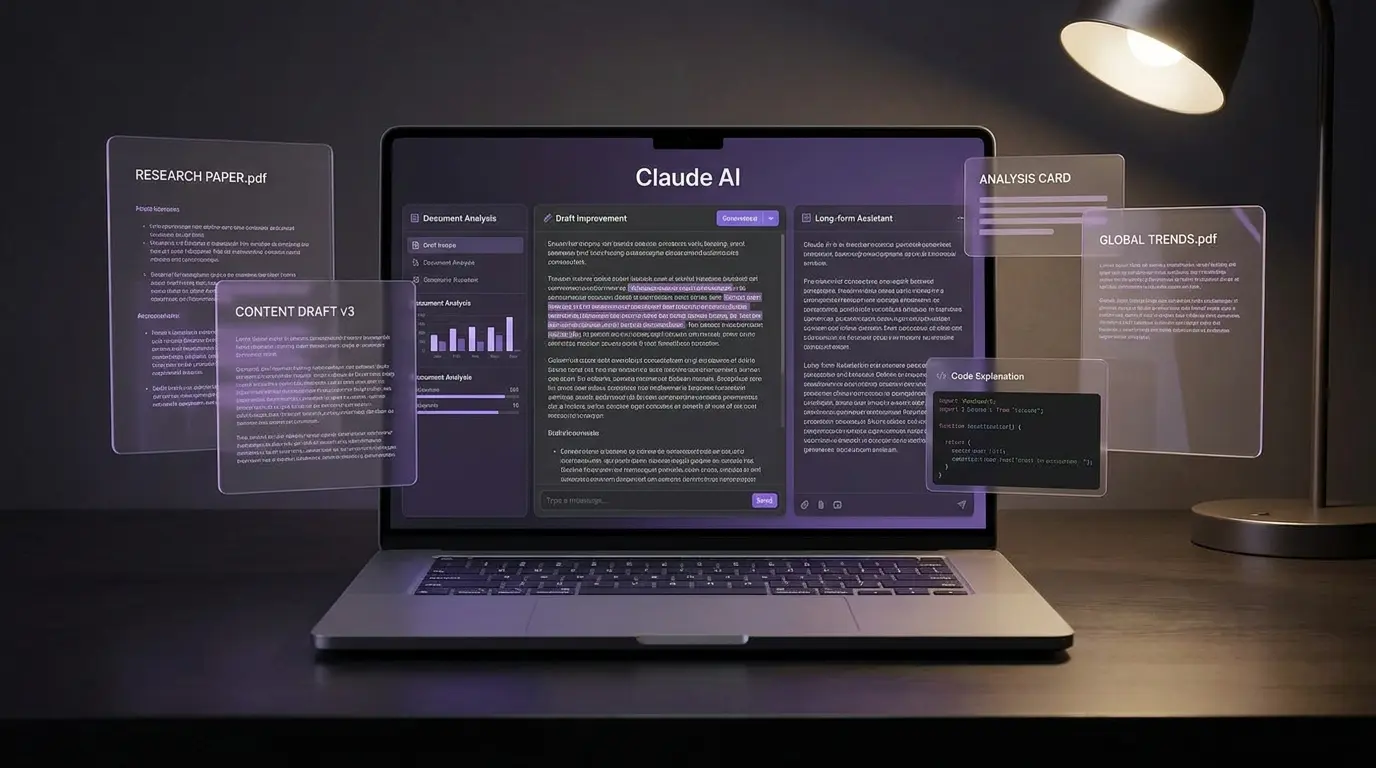
Key Claude Features:
- Natural writing style
- Long document understanding
- Detailed explanations
- Code assistance
- Creative writing support
- Claude Artifacts for working with generated content
For example, a writer can ask Claude to improve an article’s tone, while a developer can use it to review code and explain possible improvements.
Who Benefits Most From Claude?
Claude is useful for:
- Bloggers and writers
- Developers
- Researchers
- Students working with large documents
- Professionals who need detailed explanations
Gemini vs Claude: What Are the Biggest Differences in 2026?
The main difference between Gemini and Claude is their approach.
Gemini is built around Google’s large technology ecosystem, while Claude focuses strongly on reasoning, writing quality, and detailed conversations.
Neither tool is perfect for every situation. The better choice depends on how you plan to use AI.
Google Ecosystem vs Advanced Reasoning
Gemini Advantage:
Gemini works well for users who already depend on Google products.
Examples:
- Writing ideas inside Google Docs
- Managing information connected with Google services
- Combining AI with everyday productivity tasks
If your daily work already happens inside Google’s ecosystem, Gemini may feel more natural.
Claude Advantage:
Claude is often preferred by users who want detailed responses and deeper explanations.
Examples:
- Reviewing long documents
- Improving written content
- Understanding complex topics
- Discussing programming problems
Claude’s conversational style can feel more like working with a writing or research assistant.
User Experience Comparison
Both tools are designed to be simple, but the experience feels different.
Gemini User Experience:
Advantages:
- Familiar for Google users
- Works well with Google-related tasks
- Useful for everyday productivity
Possible limitation:
- Some users may not need Google integrations if they use other platforms.
Claude User Experience:
Advantages:
- Clean interface
- Strong conversational flow
- Good for detailed discussions
Possible limitation:
- Users looking for deep Google integration may find fewer built-in connections.
Which AI Should Beginners Try First?
If you are completely new to AI tools, the best approach is simple:
- Decide what you want AI to help you with.
- Test both tools using the same task.
- Compare the answers.
- Choose the one that saves you more time.
For example:
- Ask both tools to write a short article.
- Ask both to explain a difficult topic.
- Ask both to review a simple piece of code.
Your own experience will often matter more than general comparisons.
Gemini vs Claude for Content Writing: Which AI Creates Better Content?
When comparing Claude vs Gemini for content writing, the better choice depends on the type of content you create. Claude is often preferred for detailed writing and editing, while Gemini can be useful for research, ideas, and users who work with Google tools.
For bloggers, marketers, and content creators, both AI assistants can save time. However, they approach writing tasks differently.
Writing Quality, Creativity, and Human-Like Responses
A good AI writing assistant should not only create words. It should understand your goal, follow your instructions, and produce content that feels natural.

Claude Writing Strengths:
Claude is often useful for:
- Long-form articles
- Detailed explanations
- Creative writing
- Rewriting content naturally
- Improving tone and readability
Example:
A blogger can give Claude a rough article draft and ask:
“Rewrite this article in a friendly tone for beginners.”
Claude can help improve structure, flow, and clarity.
Gemini Writing Strengths:
Gemini can help with:
- Generating content ideas
- Research assistance
- Creating outlines
- Brainstorming topics
- Working with Google-related information
Example:
A content creator can ask Gemini:
“Give me 20 blog ideas about Android apps.”
Gemini can quickly provide topic suggestions that can be developed further.
SEO Writing Workflow: Research, Outlines, and Optimization
For SEO content, AI tools are usually best used as assistants rather than replacements for human writers.
A practical workflow can look like this:
Step 1: Topic Research
Use AI to:
- Find content ideas
- Understand user questions
- Create topic clusters
Step 2: Create an Outline
Ask AI to create:
- H2 and H3 headings
- Article structure
- FAQ ideas
Step 3: Improve Content
Use AI for:
- Grammar checking
- Better explanations
- Removing repetition
- Making content easier to read
Step 4: Human Review
Before publishing:
- Check facts
- Add personal experience
- Improve examples
- Make the content unique
Gemini vs Claude for Different Writers
| User Type | Better Fit |
| Beginner blogger | Both can work; test which style you prefer |
| Long-form writer | Claude may feel more natural |
| SEO researcher | Gemini can help with research workflows |
| Marketing team | Depends on existing tools |
| Student writer | Both are useful for learning and drafts |
Gemini vs Claude for Coding: Which AI Helps Developers More?
For developers searching Gemini vs Claude for coding, both tools can help with programming tasks, but their strengths are slightly different.
Claude is often appreciated for explaining complex code and helping with problem-solving. Gemini can be useful for general coding support and Google-related development workflows.
Code Generation and Programming Accuracy
AI coding assistants can help developers:
- Create code examples
- Explain programming concepts
- Generate project ideas
- Find possible solutions
Claude Coding Strengths:
Claude can be useful for:
- Understanding complex code
- Reviewing large sections of code
- Explaining programming logic
- Planning software architecture
Example:
A developer can paste a confusing function and ask:
“Explain what this code does and suggest improvements.”
Claude can provide a detailed explanation of the logic.
Gemini Coding Strengths:
Gemini can help with:
- Writing code examples
- Explaining programming concepts
- General development questions
- Google-related technologies
Example:
A beginner learning JavaScript can ask:
“Explain this JavaScript function step by step.”
Gemini can provide beginner-friendly explanations.
Debugging Complex Problems and Improving Existing Code
When fixing code, the quality of the answer depends heavily on the information you provide.
A better debugging prompt includes:
- Programming language
- Error message
- Expected result
- Current code
- What you already tried
Example:
Instead of:
“Fix my code.”
Try:
“This Python script gives a ValueError when reading a CSV file. Explain the cause and show a solution.”
Clear prompts usually create better results.
Developer Workflow Comparison
| Task | Gemini | Claude |
| Learning programming | Good | Good |
| Explaining code | Good | Very strong |
| Reviewing large code files | Good | Strong |
| Creating examples | Good | Good |
| Complex reasoning | Good | Strong |
Gemini vs Claude Context Window 2026: Which Handles More Information?
The Gemini vs Claude context window 2026 comparison matters for users who work with large amounts of information.
A context window decides how much information an AI can process during one conversation.
A larger context window is useful when you work with:
- Long documents
- Research papers
- Books
- Large code files
- Business reports
What Is an AI Context Window?
A context window is the amount of information an AI model can remember and use during a conversation.
Think of it like a workspace.
A small workspace means you may need to provide information again. A larger workspace allows the AI to handle bigger tasks in one session.
Large Document Analysis Comparison
Gemini:
Useful for:
- Working with Google-related documents
- Research tasks
- File-based questions
Claude:
Useful for:
- Reading long documents
- Summarizing detailed information
- Analyzing complex text
Example:
A researcher can upload a long report and ask:
“Summarize the main findings and explain the important points.”
Both tools can help, but the quality depends on the document type and prompt.
Who Needs a Large Context Window?
A larger context window is especially useful for:
Students:
- Summarizing books
- Reviewing study materials
- Creating notes
Developers:
- Understanding large projects
- Reviewing code files
Researchers:
- Analyzing reports
- Comparing documents
Businesses:
- Reviewing proposals
- Summarizing meetings
Claude vs Gemini Pricing Comparison: Which AI Gives Better Value?
The Claude vs Gemini pricing comparison is important because many users want powerful AI features without paying more than necessary.
Both platforms offer free access options and paid plans with additional features.
The best value depends on how often you use AI and what tasks you need help with.
Free Plan Comparison
Free plans are useful for:
- Trying AI tools
- Simple questions
- Learning how AI works
- Occasional writing assistance
A casual user may not need a paid subscription.
Gemini Advanced vs Claude Pro: Paid Features Compared
Paid plans are generally designed for users who need:
- More usage limits
- Advanced models
- Additional productivity features
- Better performance for professional tasks
Gemini Paid Plan May Suit:
- Google Workspace users
- Professionals using Google services
- Users needing AI inside productivity tools
Claude Pro May Suit:
- Writers
- Researchers
- Developers
- Users who need detailed AI conversations
Which Subscription Makes Sense?
Before paying, ask:
- How often do I use AI?
- Does it save me time?
- Do I need advanced features?
- Does it fit my current workflow?
A subscription is usually more valuable when AI becomes part of your regular work.
Pros and Cons: Gemini vs Claude
Google Gemini Pros and Cons
| Pros | Cons |
| Strong Google ecosystem integration | Some users may not need Google features |
| Good general AI assistant | Responses may still require checking |
| Useful for research and productivity | Advanced features may depend on plan |
Claude Pros and Cons
| Pros | Cons |
| Strong writing quality | Fewer Google-style integrations |
| Good reasoning ability | Some advanced features require paid access |
| Useful for documents and coding | Not every user needs advanced capabilities |
How to Choose Between Gemini and Claude for Your Needs
Choosing between Gemini vs Claude is easier when you focus on your actual needs instead of only looking at features.
Both AI tools are powerful, but the right choice depends on your work style, budget, and the tasks you want AI to handle.
Step 1: Identify Your Main Purpose
First, decide why you need an AI assistant.
Ask yourself:
- Do I need help writing content?
- Do I need coding support?
- Do I work with large documents?
- Do I need productivity tools?
- Do I want AI to learn?
Your main goal should guide your decision.
Step 2: Compare Features You Actually Need
Do not choose an AI tool only because it has more features.
Focus on the features that solve your problems.
If You Need Writing Help:
Consider:
- Response quality
- Editing ability
- Tone improvement
- Long-form content support
If You Need Coding Help:
Consider:
- Code explanations
- Debugging ability
- Project support
- Programming knowledge
If You Need Productivity Help:
Consider:
- Existing apps you use
- File handling
- Workflow integration
Step 3: Test Both Tools Before Choosing
A simple test can help you decide.
Try the same tasks in both AI tools:
- Write a blog introduction
- Summarize a document
- Explain a difficult topic
- Review a piece of code
- Create a project plan
Then compare:
- Which answer is clearer?
- Which saves more time?
- Which matches your work style?
Common Mistakes Users Make When Choosing an AI Assistant
Many people choose AI tools based only on popularity or online opinions. This can lead to choosing a tool that does not match their needs.
Choosing an AI Only Because It Is Popular
A popular AI tool is not automatically the right choice for everyone.
For example:
- A writer may care more about writing quality.
- A Google user may care more about integrations.
- A developer may care more about coding support.
Your workflow matters more than trends.
Ignoring Your Existing Tools
One common mistake is forgetting the tools you already use.
Example:
If you use Google Docs, Gmail, and Drive every day, Gemini’s integration may be useful.
If you spend more time writing, researching, or reviewing documents, Claude may fit your workflow better.
Expecting AI to Always Give Perfect Answers
AI assistants are helpful, but they are not perfect.
Common mistakes include:
- Incorrect information
- Outdated details
- Missing context
- Wrong assumptions
Always review important information before using it professionally.
Expert Recommendations: Gemini vs Claude — Which One Should You Use in 2026?
There is no single AI tool that is perfect for everyone. The best option depends on what you want to achieve.
Choose Gemini If You Need:
Gemini may be a good choice if you:
✅ Use Google Workspace regularly
✅ Want AI connected with Google services
✅ Need help with research and productivity
✅ Prefer a general-purpose AI assistant
✅ Want multimodal features like text and image understanding
Example User:
A student using Google Docs for assignments may find Gemini convenient because it fits into an existing Google workflow.
Choose Claude If You Need:
Claude may be a good choice if you:
✅ Write long articles or documents
✅ Need detailed explanations
✅ Work with large text files
✅ Want strong reasoning support
✅ Need help reviewing complex information
Example User:
A content writer working on detailed guides may prefer Claude for drafting and improving long-form content.
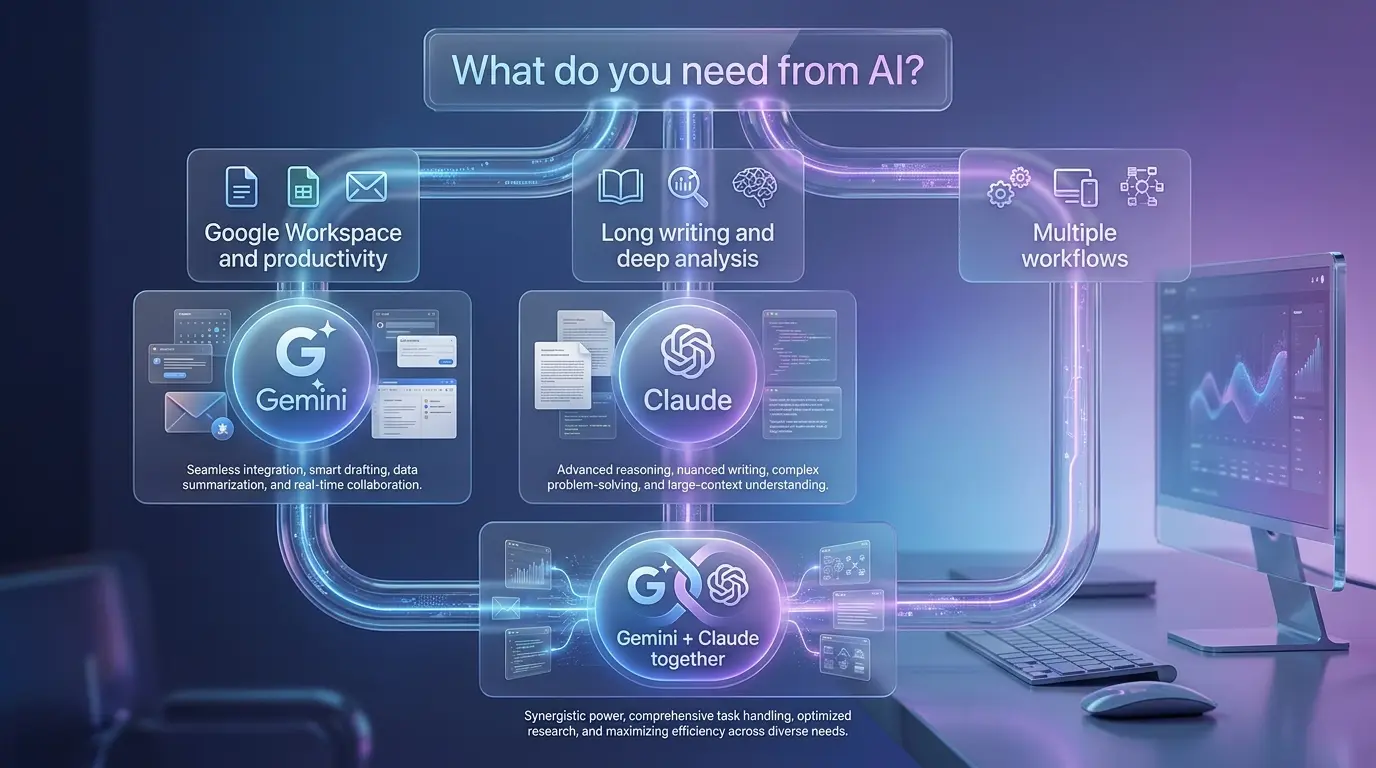
Should You Use Both Gemini and Claude Together?
Yes, many users can benefit from using both tools.
You do not always have to choose only one.
A practical workflow could be:
Use Gemini For:
- Research ideas
- Google-related tasks
- Productivity work
Use Claude For:
- Writing improvements
- Document analysis
- Detailed explanations
Using different tools for different tasks can create a more flexible AI workflow.
Frequently Asked Questions About Gemini vs Claude
Is Claude better than Gemini?
Claude is not always better than Gemini because each AI tool has different strengths. Claude is often useful for detailed writing, reasoning, and document analysis, while Gemini can be valuable for users who depend on Google services. The better choice depends on your specific tasks, workflow, and expectations.
Which is better for content writing, Gemini or Claude?
Claude is often preferred for long-form writing because it can produce detailed and natural responses. Gemini can also help writers with research, ideas, and Google-related workflows. The best option depends on the type of content you create and how much editing you want to do after generating a draft.
Is Gemini or Claude safer to use with personal information?
You should avoid sharing sensitive information with any AI tool. Do not upload passwords, financial details, private business data, or confidential documents. Both Gemini and Claude include security features, but users should still review privacy settings and remove sensitive information before sharing files.
Which AI tool is cheaper: Gemini or Claude?
Both Gemini and Claude provide free options, while paid plans offer additional features and higher usage limits. The cheaper option depends on your needs. If you only use AI occasionally, a free plan may be enough. Professionals who use AI regularly may find paid subscriptions more useful.
Why do Gemini and Claude sometimes give wrong answers?
AI tools can sometimes produce incorrect information because they generate responses based on learned patterns rather than human understanding. To improve results, provide clear instructions, add context, and verify important information before using AI-generated answers for work, study, or business decisions.
Can I use Gemini and Claude together?
Yes, you can use both AI assistants together. Many users combine different tools based on their strengths. For example, Gemini can support Google-related productivity tasks, while Claude can help with writing, analysis, and detailed problem-solving.
Conclusion: Gemini vs Claude — Which AI Tool Is Actually Better?
The answer to Gemini vs Claude depends on what you need from an AI assistant.
Gemini can be a strong option for users who already use Google services and want AI support connected with their daily productivity tools. It is useful for research, general assistance, and multimodal tasks.
Claude can be a strong choice for users who focus on writing, detailed explanations, document analysis, and complex reasoning tasks.
Instead of choosing based only on online opinions, test both tools with your real work. The AI assistant that saves you more time and gives better results for your tasks is usually the right choice.