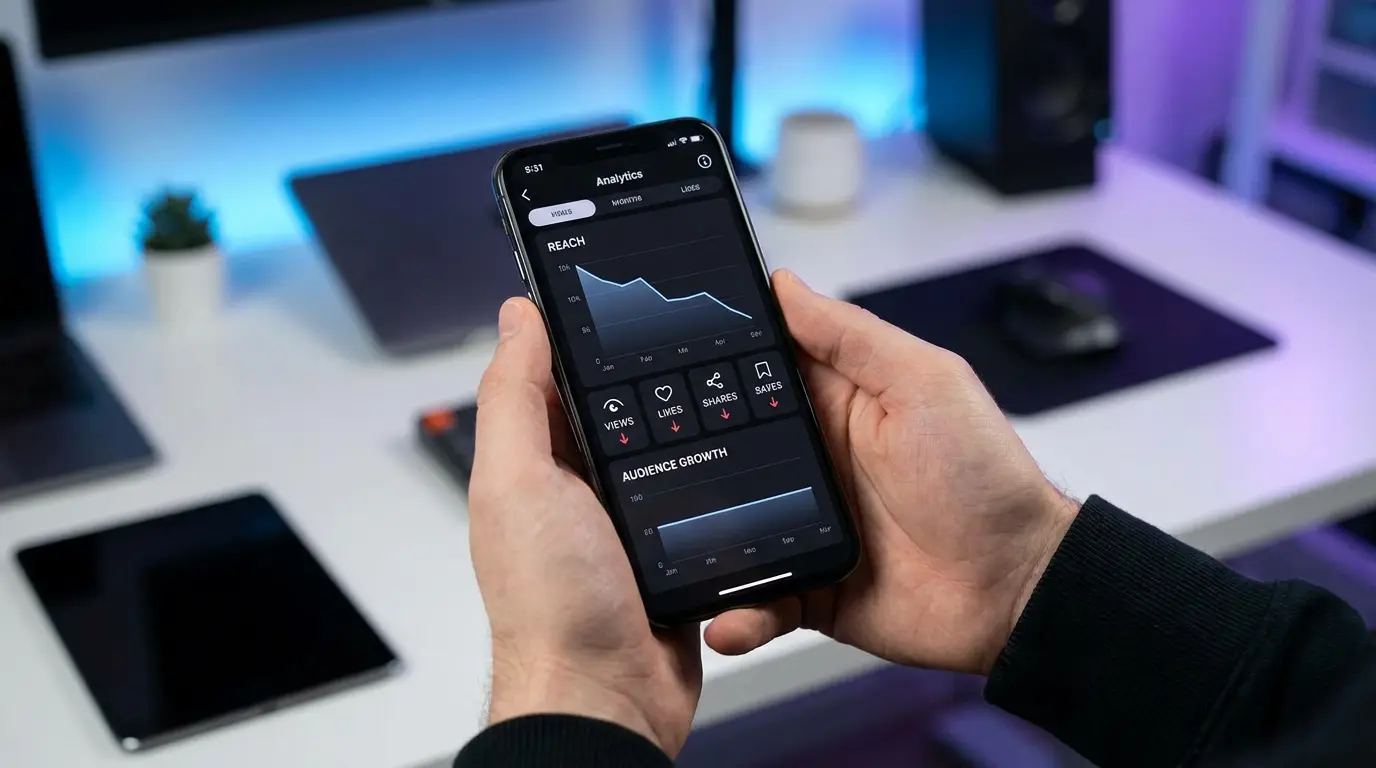
Instagram reach can drop when your content gets a weaker response, your audience’s activity changes, or recommendation restrictions affect your account. A drop alone does not prove that you have been “shadowbanned.”
Start by checking Account Status, then compare similar posts in Instagram Insights. Find out whether the decline affects followers, non-followers, Reels, or all your content before choosing a fix. This guide explains what to check and how to use those findings to plan your next steps.
A drop in Instagram reach does not always mean your account has a serious issue. In many cases, small improvements in your content approach can help you connect with more users.
How To Diagnose Why Your Instagram Reach Is Low
Before changing your entire strategy, find the actual problem.
Many creators make mistakes because they guess instead of checking their data.
Instagram provides tools that help you understand performance.
1. Check Instagram Insights
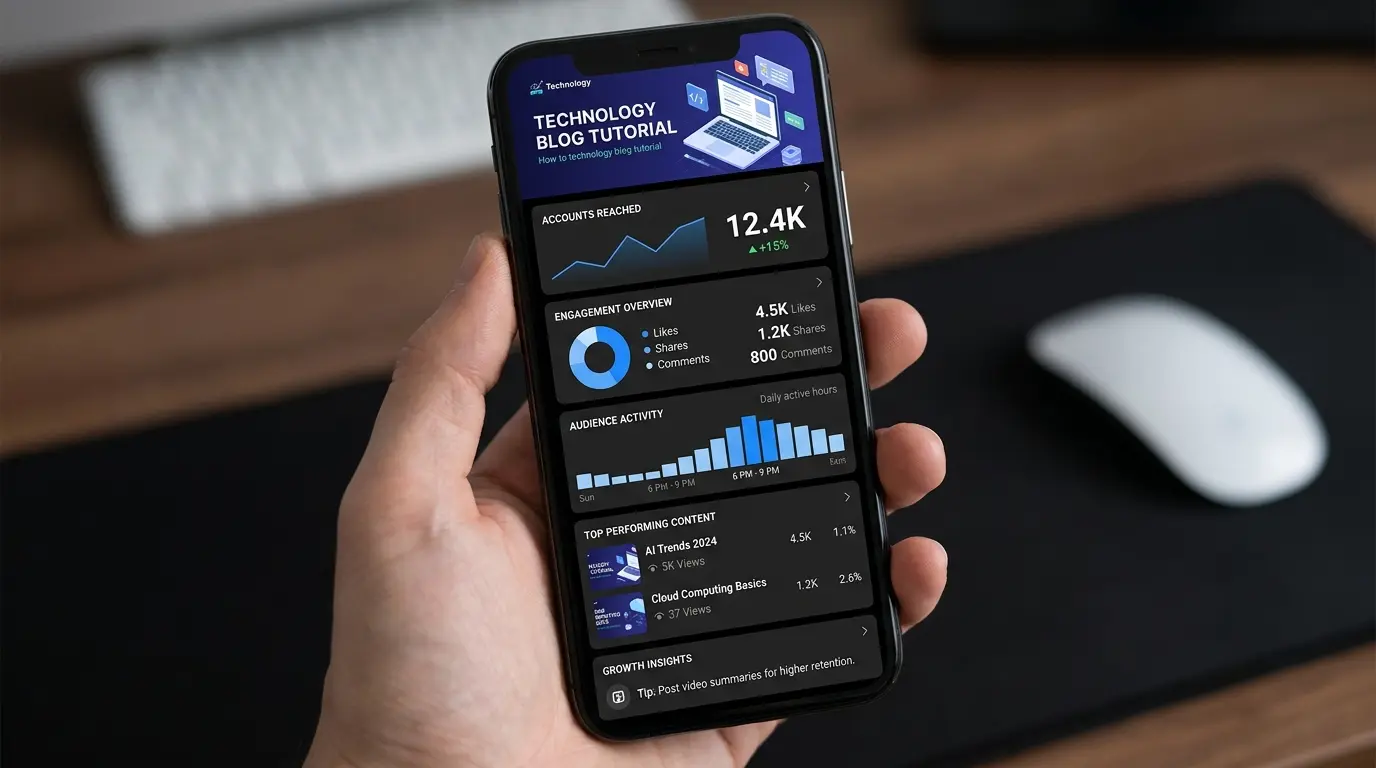
Instagram Insights shows important information about your content.
Focus on these metrics:
Reach From Non-Followers
This shows whether new people are discovering your content.
If this is low:
Try:
- Creating more shareable content
- Improving Reel hooks
- Targeting better topics
Saves And Shares
These show content value.
High saves usually mean:
“People want to use this information later.”
High shares mean:
“People think others should see this.”
Watch Time
For Reels, watch time shows whether people stay interested.
Low watch time can mean:
- Weak introduction
- Wrong audience
- Content is too long
- Message is unclear
2. Compare Your Best And Worst Content
Your previous posts can teach you what works.
Compare:
| Check | Question |
| Topic | Which topics performed better? |
| Format | Did Reels or posts work better? |
| Hook | Which opening got attention? |
| Engagement | Which content got more saves and shares? |
Do not delete everything and start again. Improve what already works.
3. Check Instagram Account Status
If your reach suddenly drops, check your account status.
Go to:
Instagram Settings → Account Status
Look for:
- Recommendation eligibility
- Content restrictions
- Guideline issues
If Instagram limits recommendations, fix the issue before focusing on growth strategies.
Is Instagram Shadowbanning You, or Is It Just Low Reach?
A drop in reach alone does not prove that your account has been “shadowbanned.” Check Account Status for any restrictions or recommendation eligibility issues shown by Instagram.
If an issue appears, read the explanation and follow the available correction or review steps. If no issue is listed, compare your recent content in Insights to understand what changed. A clear Account Status does not guarantee recommendations or prove that engagement is the only reason for lower reach.
What Is Instagram Reach?
Instagram reach is the number of unique accounts that see your content. It shows how many different people your post, Reel, or Story has reached.
For example:
- Your Reel receives 10,000 views.
- Those views come from 6,000 different users.
Your reach is 6,000 because six thousand unique accounts watched your content.
Many beginners confuse reach with views, but they are different metrics.
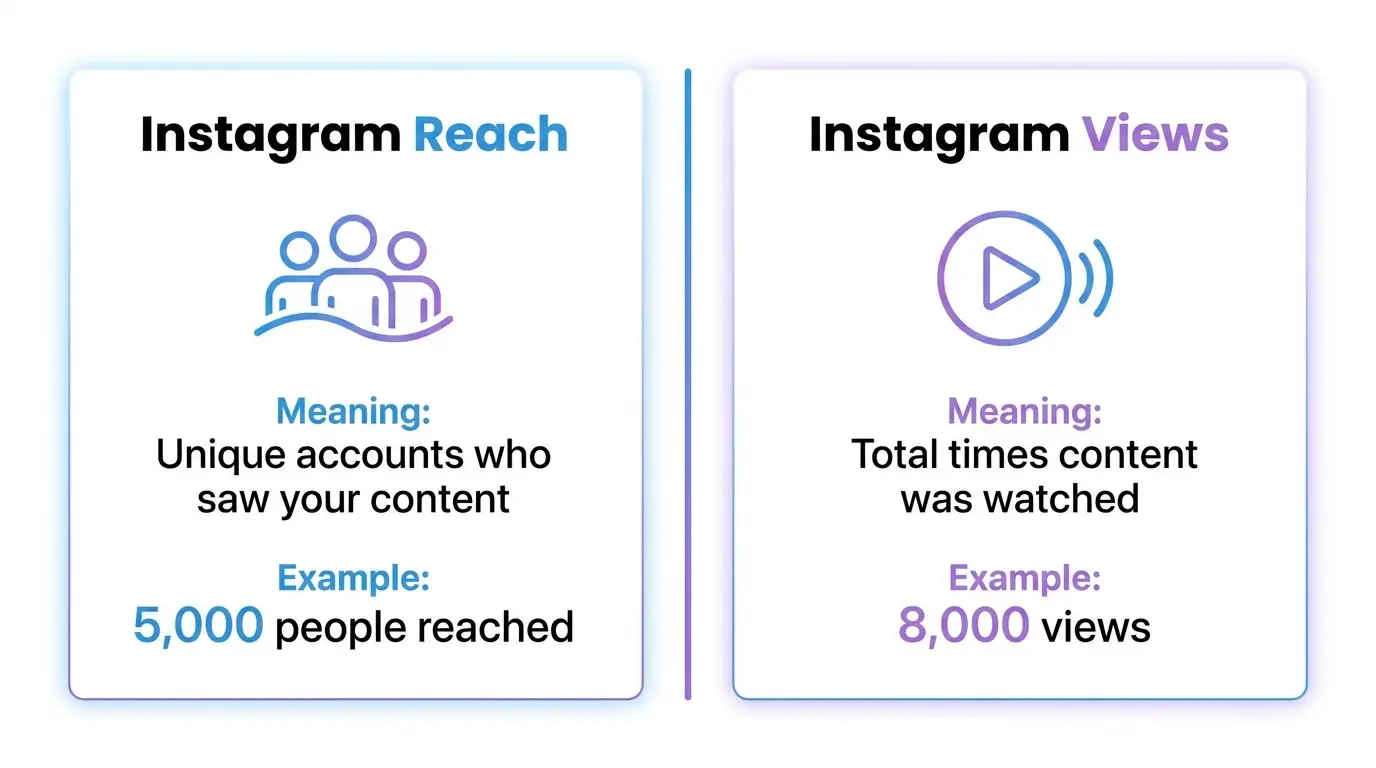
Instagram Reach vs Views: What Is The Difference?
| Metric | Meaning | Example |
| Instagram Reach | Number of unique accounts that saw your content | 5,000 people viewed your post |
| Instagram Views | Total number of times your content was watched | A Reel was played 8,000 times |
A single person can watch your Reel multiple times. This increases views but does not increase reach by the same amount.
Understanding this difference helps you find the real problem behind low performance.
Why Does Instagram Reach Matter?
Your Instagram reach determines how many people discover your content, especially users who do not already follow you.
A strong reach can help you:
- Get new followers
- Increase engagement
- Build brand awareness
- Promote products or services
- Grow your online community
For creators and businesses, reach is important because new audiences usually discover content through recommendations, Reels, Explore, and search.
Instagram looks at different signals before showing content to more people.
Important signals include:
- Watch time
- Shares
- Saves
- Comments
- Profile visits
- User interactions
For example:
A simple tutorial Reel that people save for later may perform better than a post that only receives likes.
Why Is My Instagram Reach Down? Common Reasons Explained
If your Instagram reach suddenly decreases, there is usually a reason behind it.
The most common causes are:
- Instagram algorithm updates
- Lower engagement signals
- Weak Reel performance
- Poor content strategy
- Wrong audience targeting
- Inconsistent posting
- Poor hashtag optimization
Let’s look at the biggest reasons in detail.
1. Instagram Algorithm Updates Affect Content Distribution
One common reason for lower reach is changes in how Instagram recommends content.
Instagram regularly updates its algorithm to improve the user experience. These changes can affect how posts and Reels are distributed.
However, the algorithm is not designed to block creators. It simply looks for content that users find valuable.
Instagram pays attention to signals such as:
- How long users watch your content
- Whether they save your post
- Whether they share it
- Whether they comment
- Whether they visit your profile
Example: How Algorithm Signals Work
Imagine Instagram tests two Reels with a small audience.
Reel A:
- Users leave after a few seconds
- Few people interact
- Nobody saves or shares it
Reel B:
- Users watch until the end
- People share it
- Users save it for later
Instagram is more likely to recommend Reel B because it shows stronger user interest.
How To Adapt To Instagram Algorithm Changes
Instead of focusing on “beating the algorithm,” focus on creating useful content.
Try these steps:
- Create content that solves a specific problem.
- Make your opening seconds interesting.
- Use clear explanations.
- Encourage natural interaction.
Ask yourself:
“Would someone save or share this content because it helps them?”
If yes, your content has a stronger chance of reaching more people.
2. Low Engagement Signals Can Reduce Instagram Reach
Another major reason for low reach is weak engagement.
Instagram uses engagement signals to understand whether users enjoy your content.
If people see your posts but do not interact, Instagram may show them to fewer users.
The most important engagement signals include:
Shares
Shares show that users think your content is useful enough to send to someone else.
Example:
A post like:
“10 Free AI Tools For Students”
may receive more shares because users want to help friends discover useful tools.
Saves
Saves are important because they show long-term value.
People usually save content they want to use later.
Examples:
- Tutorials
- Checklists
- Tips
- Guides
- Step-by-step solutions
Comments
Comments create conversations around your content.
To encourage comments:
Instead of:
“Here are Instagram tips.”
Try:
“Which Instagram problem is affecting your account right now?”
This creates a reason for users to reply.
Why Likes Alone Are Not Enough
Many creators focus only on likes, but likes are only one part of engagement.
A post with:
- 500 likes
- 100 saves
- 50 shares
may provide stronger signals than a post with:
- 1,000 likes
- Few saves
- Few shares
The goal should be creating content people find useful, not only content people quickly like.
3. Poor Instagram Reels Performance Can Lower Your Reach
If your Instagram Reels engagement is low, your overall Instagram reach may also decrease. Reels are one of the main ways Instagram helps creators reach new audiences, but only when viewers find the content interesting.
A common mistake is focusing only on getting views. The more important question is:
“Are people watching my Reel long enough and interacting with it?”
Instagram pays attention to:
- Watch time
- Completion rate
- Replays
- Shares
- Saves
- Comments
If users quickly scroll away, Instagram may stop recommending that Reel to more people.
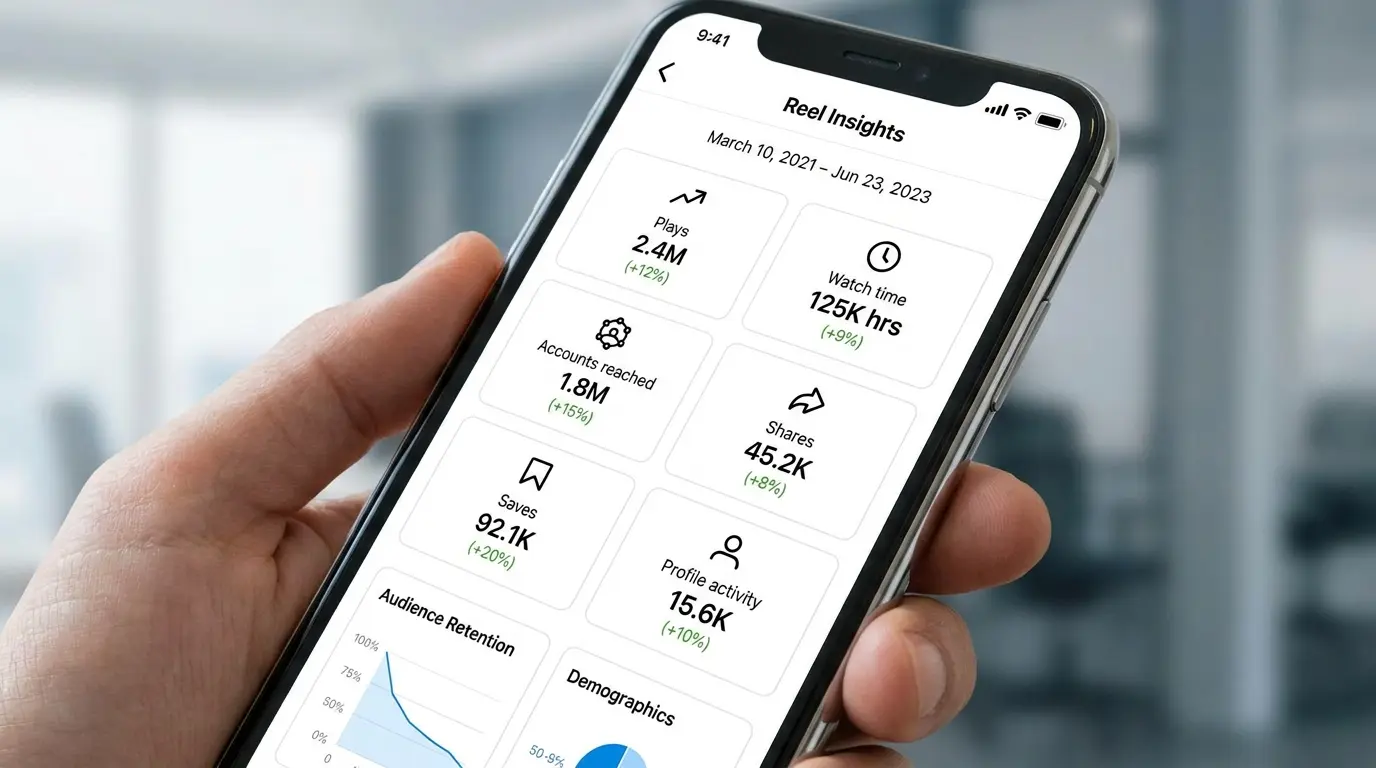
Why Your Reels May Not Be Performing Well
Common reasons include:
1. Weak First Few Seconds
The beginning of your Reel decides whether users continue watching.
Example:
Weak opening:
“Hi everyone, today I am going to explain…”
Better opening:
“Your Instagram reach is dropping because of these 3 mistakes.”
The second example creates curiosity and gives users a reason to continue.
2. Your Content Is Too General
People usually engage with content that solves a clear problem.
Weak topic:
“Instagram tips”
Better topic:
“5 Instagram settings every creator should check”
The second topic is specific and more useful.
3. Videos Are Too Slow Or Unclear
Avoid:
- Long introductions
- Unnecessary explanations
- Poor audio quality
- Confusing messages
Better approach:
- Start with the main point
- Use simple language
- Keep the video focused on one idea
How To Improve Instagram Reel Engagement
Follow these steps:
Step 1: Create A Strong Hook
Your first line should explain why users should continue watching.
Examples:
- “Stop making this Instagram mistake.”
- “Your Reel views are low because of this.”
- “Try these settings to improve your Instagram experience.”
Step 2: Keep One Clear Message
One Reel should answer one question.
Good examples:
- How to edit Instagram videos
- Best free AI tools
- How to fix an app problem
Avoid putting many unrelated tips into one video.
Step 3: Add Captions
Many people watch videos without sound.
Captions help users understand your content and improve accessibility.
4. Your Content Strategy May Not Match Your Audience
A weak content strategy is another common reason behind low Instagram reach.
Posting regularly is helpful, but posting the wrong content for your audience will not create strong engagement.
Your audience follows you because they expect a certain type of value.
Signs Your Content Strategy Needs Improvement
You may need to change your approach if:
- Your posts get views but no interaction
- Followers rarely comment or save posts
- Your topics change too often
- You copy trends without adapting them
- Your audience does not understand your niche
How To Build A Better Instagram Content Strategy
1. Create Content Categories
Choose a few main topics and build around them.
Example for a technology page:
| Content Category | Example |
| App Guides | How to use useful apps |
| AI Tools | Best AI tools for productivity |
| Tutorials | Step-by-step tech solutions |
| Reviews | App and software comparisons |
This helps Instagram understand your content and helps followers know what to expect.
2. Study Your Best Performing Posts
Use Instagram Creator Dashboard or Insights to find:
- Posts with high reach
- Reels with strong watch time
- Content with more saves
- Posts bringing profile visits
Then create more content based on those patterns.
Example:
If your audience saves smartphone tips more than tech news, focus more on practical tips.
3. Solve Real Audience Problems
Helpful content usually performs better.
Instead of:
“New Instagram update”
Try:
“5 Instagram update features that can save your time”
The second option focuses on user benefit.
5. Poor Hashtag Optimization Can Limit Discovery
Hashtags can help Instagram understand your content, but they are not a magic solution for low reach.
Many users make mistakes by adding random popular hashtags without considering relevance.
Common Hashtag Mistakes
Using Only Viral Hashtags
Examples:
- #viral
- #explorepage
These hashtags have huge competition.
Your content may quickly disappear among millions of posts.
Using Unrelated Hashtags
Example:
A technology post using:
- #fitness
- #travel
- #food
can confuse content signals.
Better Hashtag Optimization Strategy
Use hashtags that match your content topic.
A good mix includes:
Niche Hashtags
Examples:
For AI content:
- #aitools
- #aiproductivity
- #futuretechnology
For app content:
- #androidtips
- #mobileapps
- #apptutorials
Topic-Specific Hashtags
Match hashtags with the exact post.
Example:
Post:
“Best note-taking apps”
Better hashtags:
- #notetakingapps
- #productivitytools
- #studentapps
Avoid Reusing The Same Hashtags Every Time
Test different relevant hashtag groups.
This helps you discover which keywords connect better with your audience.
6. Inconsistent Posting Can Affect Audience Engagement
If you stop posting for a long time, your audience may become less active.
However, posting daily with poor-quality content is not a good strategy either.
The best approach is consistent, valuable content.
A Simple Instagram Posting Schedule
A realistic schedule for many creators:
- 3–5 Reels per week
- Regular Stories
- 1–2 useful posts weekly
Choose a schedule you can maintain.
Consistency works better than short periods of heavy posting followed by long breaks.
“If Instagram limits recommendations, fix the issue before focusing on growth strategies.”
How To Fix Low Instagram Reach Step By Step
Now that you know the possible causes, follow these practical steps.
Step 1: Create More Valuable Content
The best way to improve reach is creating content that helps people.
Before publishing, ask:
- Does this solve a problem?
- Is it useful enough to save?
- Would someone share it?
Examples of valuable content:
- How-to guides
- Mistake explanations
- Tool recommendations
- Simple tutorials
- Comparison posts
Step 2: Improve Your Captions
A good caption supports your content.
Simple caption structure:
First line:
Catch attention.
Example:
“Your Instagram reach is low because of these mistakes.”
Middle:
Explain the value.
End:
Encourage interaction.
Example:
“Which mistake have you noticed on your account?”
Step 3: Engage With Your Audience
Posting is only one part of Instagram growth.
After posting:
- Reply to comments
- Answer questions
- Respond to messages
- Interact with your community
Real conversations create stronger relationships.
Advanced Strategies To Boost Instagram Engagement In 2026
Improving your Instagram reach requires more than posting frequently. In 2026, successful creators focus on understanding their audience, creating useful content, and improving the signals that Instagram values.
The goal is simple:
Create content that people want to watch, save, share, and discuss.
1. Use Instagram Insights To Make Better Decisions
Many creators try different posting methods without checking their results. This makes growth slower because they are making decisions based on guesses.
Instagram Insights helps you understand:
- Which content gets more reach
- What type of posts your audience likes
- When your followers are active
- Which Reels perform better
How To Use Instagram Insights Properly
Follow these steps:
- Open your Instagram profile.
- Tap Professional Dashboard.
- Open Insights.
- Check your top-performing posts.
- Compare results and find patterns.
Look for:
- Topics that get more saves
- Formats that get more shares
- Reels with better watch time
- Posts that bring profile visits
Example:
If your app tutorials receive more saves than general tech news, create more tutorials because they provide more value to your audience.
2. Focus On Building A Community, Not Just Followers
Having thousands of followers does not guarantee success.
A smaller audience that actively interacts with your content can be more valuable than a large inactive audience.
Instagram growth improves when users feel connected to your content.
Ways To Build Stronger Engagement
Try these methods:
- Reply to comments
- Ask questions in captions
- Use Story polls
- Answer audience questions
- Share behind-the-scenes content
Example:
Instead of posting:
“New AI app available.”
Create discussion:
“Which AI tool saves you the most time every day?”
This creates conversation instead of only views.
3. Optimize Content For Instagram Search
Instagram is becoming more search-focused. Users now search for solutions, apps, products, and tutorials directly on the platform.
To improve discoverability, use clear keywords in your content.
Include relevant terms in:
- Captions
- Reel text
- Video titles
- Profile description
Example:
Weak caption:
“Best app ever!”
Better caption:
“Best free AI productivity apps for students in 2026”
The second version clearly explains the topic.
4. Use AI Tools Carefully For Content Planning
AI tools can help creators work faster, but they should not replace human experience.
You can use AI for:
- Finding content ideas
- Creating outlines
- Improving captions
- Organizing content calendars
- Research assistance
However, avoid publishing generic content without your own examples.
Your personal experience makes content more trustworthy.
Common Instagram Reach Mistakes You Should Avoid
Many creators lose potential growth because of simple mistakes.
1. Buying Followers Or Fake Engagement
Buying followers may increase your follower number, but it usually does not create real growth.
Problems include:
- Low-quality followers
- Poor engagement rate
- Less accurate audience data
- Weak community connection
A smaller audience that trusts your content is better than fake numbers.
2. Copying Viral Content Without Adding Value
Following trends can help, but copying another creator exactly is not a long-term strategy.
Instead:
Take a popular idea and make it useful for your audience.
Example:
Original trend:
“Top 5 apps”
Better version:
“Top 5 free AI apps that save students hours every week”
The second version adds a specific benefit.
3. Ignoring Analytics
Some creators continue posting the same type of content even when results are poor.
Your data can tell you:
- What your audience likes
- Which topics perform well
- Which formats need improvement
Successful creators test, learn, and improve.
4. Changing Your Content Direction Too Often
If your content topic changes constantly, your audience may not know what to expect.
Example:
Monday:
AI tools
Wednesday:
Travel videos
Friday:
Gaming content
A clear niche helps Instagram understand your audience.
For a technology website like AppGuideKit.com, focused topics such as apps, AI tools, software guides, and tutorials create stronger audience expectations.
7-Day Instagram Reach Content Review Plan”
If you want to improve your Instagram reach, follow this simple action plan.
Day 1: Analyze Your Current Performance
Tasks:
- Open Instagram Insights
- Review your last 10 posts
- Find your strongest and weakest content
Goal:
Understand what needs improvement.
Day 2: Improve Your Profile
Check:
- Profile picture
- Bio description
- Content categories
- Link information
Your profile should quickly explain:
- Who you help
- What content you create
- Why people should follow you
Day 3: Create A High-Value Reel
Create one Reel focused on solving a problem.
Example:
Instead of:
“Instagram tips”
Create:
“3 reasons your Instagram reach is dropping”
Make it specific and useful.
Day 4: Improve Community Engagement
Spend time:
- Replying to comments
- Answering messages
- Interacting with relevant accounts
Building relationships improves long-term growth.
Day 5: Test A New Content Format
Try:
- Tutorial videos
- Carousel guides
- Screen recordings
- Comparison posts
Testing helps you discover what your audience prefers.
Day 6: Review Your Results
Check:
- Reach
- Saves
- Shares
- Comments
- Watch time
Do not judge content only by likes.
Day 7: Repeat What Works
Use your results to create better content.
Instagram growth comes from continuous improvement, not one perfect post.
Frequently Asked Questions About Instagram Reach
Why is my Instagram reach suddenly low?
Your Instagram reach may become low because of reduced engagement, weaker content performance, audience changes, or algorithm updates. Check Instagram Insights to find the problem. Look at metrics like watch time, saves, shares, and non-follower reach to understand what changed.
How can I fix low Instagram reach?
You can fix low Instagram reach by improving content quality, creating stronger Reels, increasing saves and shares, using relevant hashtags, and posting consistently. Start by checking your analytics, finding weak areas, and testing content that solves real problems for your audience.
Does Instagram reduce reach on purpose?
No, Instagram does not simply reduce reach to punish users. The platform uses ranking systems to decide which content is most useful for each person. If content receives fewer positive signals, it may naturally reach fewer users.
How long does it take to recover Instagram reach?
The time required to improve Instagram reach depends on your account, audience, and content strategy. Some accounts improve quickly after making changes, while others need more testing. Consistent improvements and tracking results are the best approach.
Are hashtags still useful for Instagram reach?
Yes, hashtags can still help Instagram understand your content topic. However, using random popular hashtags does not guarantee better reach. Relevant, niche-focused hashtags work better because they help your content reach interested users.
Is buying Instagram followers a good way to increase reach?
No, buying followers is not a reliable way to improve reach. Fake followers usually do not interact with your content, which can reduce engagement quality. Organic growth through valuable content and real conversations is safer.
Can Instagram Insights improve my content strategy?
Yes, Instagram Insights can help you understand what works and what does not. By checking reach, engagement, audience activity, and content performance, you can create a better strategy based on real data instead of guessing.
Conclusion: Improve Your Instagram Reach With A Better Strategy
If you are wondering “why is my Instagram reach down?”, the answer is usually connected to content quality, audience engagement, and how users respond to your posts.
The best way to improve reach is not chasing every algorithm change. Instead, focus on creating useful content that people want to watch, save, and share.
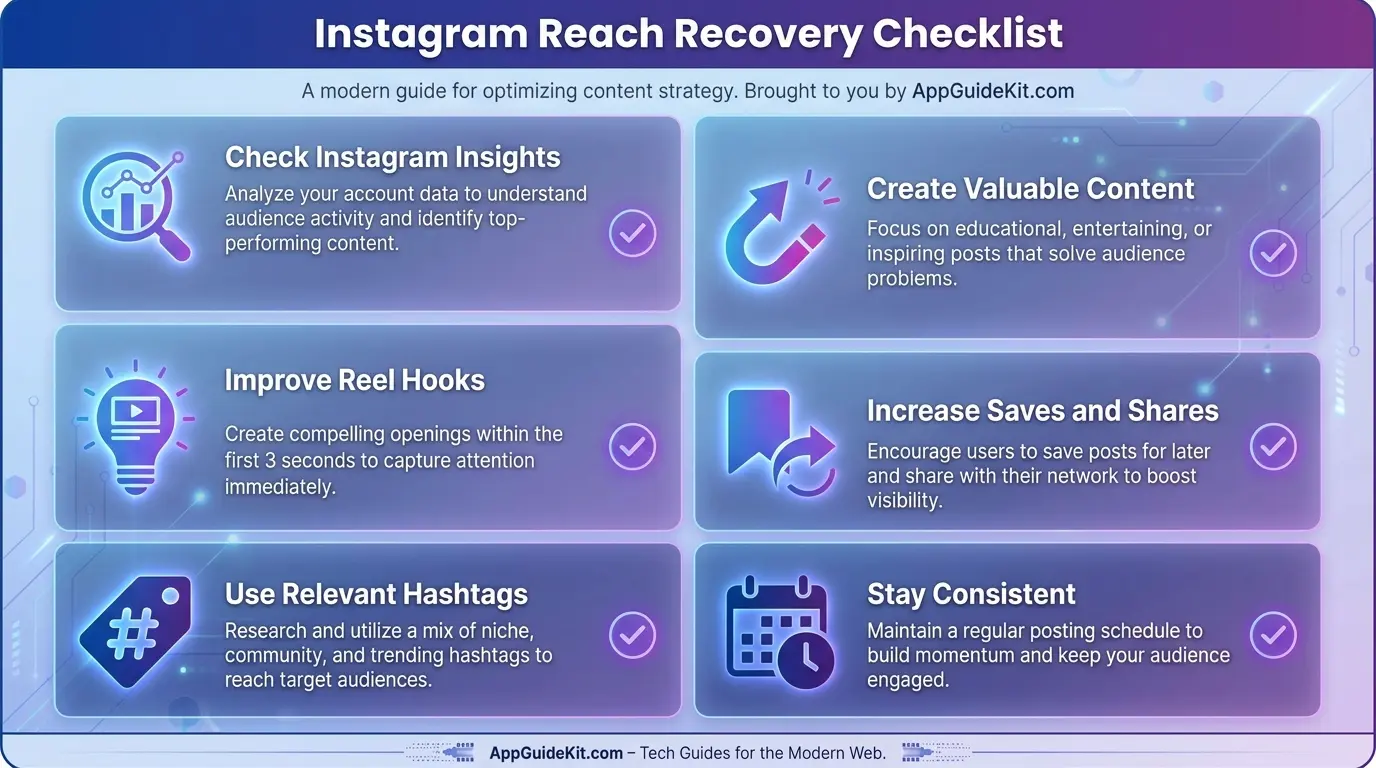
Remember these important steps:
- Check Instagram Insights regularly
- Create content that solves problems
- Improve your Reel hooks
- Encourage meaningful engagement
- Use relevant hashtags
- Stay consistent
Instagram growth takes time, testing, and improvement. When you understand your audience and create valuable content, you give your account a better chance to reach more people.
For more technology guides, app tutorials, AI tools, and digital solutions, continue exploring AppGuideKit.com.