
Introduction
ChatGPT has become a daily tool for millions of people who use AI for writing, learning, research, coding, and business tasks. But with more features being added, many users are asking the same question:
Is ChatGPT Free enough in 2026, or is ChatGPT Plus worth the $20 monthly upgrade?
The answer depends on how you use AI.
For someone who opens ChatGPT occasionally to ask questions, explain concepts, or improve a short email, the Free plan can be more than enough. However, for people who use AI as part of their daily workflow, ChatGPT Plus can provide more value through expanded access, higher limits, advanced tools, and better support for complex tasks.
For example:
- A student may use ChatGPT Free to understand difficult topics and create study notes.
- A freelance writer may use ChatGPT Plus to research topics, create articles, edit content, and manage multiple projects.
- A developer may use Plus for debugging, planning software features, and solving complex coding problems.
The important question is not:
“Which plan has more features?”
The better question is:
“Will ChatGPT Plus save me enough time or effort to justify paying $20 every month?”
In this guide, you will learn the real difference between ChatGPT Free vs Plus 2026, including:
- What you get with the Free version
- Which ChatGPT Plus features matter
- Free vs Plus limitations
- Real examples from different users
- Whether upgrading makes sense for your situation
- Common mistakes beginners make after buying Plus
Instead of only listing features, this comparison focuses on practical use cases, so you can choose the right plan based on your actual needs.
ChatGPT Free vs Plus 2026: The Quick Answer Before You Spend Money

Short answer: ChatGPT Free is best for occasional users, while ChatGPT Plus is better for people who use AI regularly for professional work, research, or advanced projects.
Both plans allow you to interact with ChatGPT and use AI for everyday tasks. The main difference is the amount of access, available tools, and how comfortably you can handle larger workflows. ChatGPT Plus is a paid subscription that provides broader access to models and features compared with the Free plan.
A simple comparison:
| Business owner | Depends on usage | Helpful if AI saves time |
| Casual user | ChatGPT Free | Enough for normal questions |
| Content writer | ChatGPT Plus | Better for daily writing workflows |
| Developer | ChatGPT Plus | Useful for complex coding tasks |
| Researcher | ChatGPT Plus | Better for document-heavy work |
| Student learning basic topics | ChatGPT Free | Handles study support well |
| User Type | Better Choice | Reason |
Choose ChatGPT Free If You Need Basic AI Help
The Free version is a good option for users who want to explore AI without paying.
You can use it for:
- Explaining difficult concepts
- Creating summaries
- Improving grammar
- Writing simple emails
- Generating ideas
- Learning new skills
For example, a student preparing for an exam can ask:
“Explain this biology topic in simple words.”
ChatGPT can break down complex information into easier explanations.
A person learning a new skill can ask:
“Teach me the basics of digital marketing step by step.”
For these types of tasks, paying Plus may not provide enough extra value.
Choose ChatGPT Plus If AI Is Part of Your Daily Work
ChatGPT Plus becomes more useful when AI is no longer just a question-answer tool but a regular assistant.
Examples:
Content Writer
A writer may use AI for:
- Topic research
- Article outlines
- Draft creation
- Editing
- SEO improvements
A Free user can complete many of these tasks, but a professional writer working every day may need more consistent access.
Developer
A programmer may use ChatGPT for:
- Understanding errors
- Reviewing code
- Planning features
- Learning new technologies
Complex technical tasks often require deeper reasoning and longer workflows, where advanced access becomes more useful.
Business Owner
A small business owner may use ChatGPT for:
- Marketing ideas
- Customer emails
- Product descriptions
- Business planning
If AI helps complete work faster, the monthly subscription can become a practical business expense.
Understanding What ChatGPT Free Offers in 2026
ChatGPT Free is powerful enough for most everyday users. It provides access to core AI features that can help with learning, writing, brainstorming, and problem-solving without requiring a paid subscription.
Many beginners assume the free version is only a limited chatbot. That is no longer true. The Free plan can handle many useful tasks that people need every day.
For example, you can use ChatGPT Free to:
- Learn new topics
- Create study notes
- Improve written content
- Generate ideas
- Plan projects
- Ask general questions
A beginner learning programming can ask:
“Explain Python functions with an easy example.”
A job seeker can ask:
“Help me improve my resume for a marketing position.”
A business owner can ask:
“Give me ideas for promoting my small business.”
Features Available With ChatGPT Free
The Free version gives users access to many helpful AI features, although some advanced features may have usage limits compared with paid plans.
Common uses include:
1. Everyday AI Conversations
You can ask questions and receive explanations about almost any topic.
Examples:
- Science concepts
- Technology questions
- Career advice
- Learning support
2. Writing Assistance
ChatGPT Free can help with:
- Grammar correction
- Email writing
- Content ideas
- Rewriting sentences
- Creating simple drafts
Example:
Instead of spending 20 minutes rewriting an email, you can ask ChatGPT to make it clearer and more professional.
3. Learning Support
Students and beginners can use ChatGPT as a personal learning assistant.
A useful process:
- Ask for a simple explanation
- Request examples
- Ask questions about confusing parts
- Practice with exercises
This approach helps users learn faster without needing advanced AI features.
Where ChatGPT Free Starts Showing Limitations
The Free plan works well for normal use, but problems appear when users depend on AI heavily.
Common limitations include:
| Situation | Free Plan Experience |
| Asking occasional questions | Works well |
| Daily professional work | May feel restricted |
| Large projects | More difficult |
| Frequent file analysis | Limited |
| Heavy AI usage | May reach limits |
Example: Casual User vs Professional User
Imagine two people using ChatGPT.
User A: Student
Uses ChatGPT a few times per week:
- Explaining lessons
- Creating notes
- Practicing questions
The Free version may solve most problems.
User B: Freelance Writer
Uses ChatGPT every day:
- Researching blog topics
- Creating long articles
- Editing drafts
- Preparing client work
For this user, interruptions and limits can affect productivity.
The difference is not that one person needs “better AI.” The difference is how much they depend on AI.
Tips to Get More Value From ChatGPT Free
Before paying for Plus, learn how to use the Free plan effectively.
Give Better Instructions
Weak prompt:
“Write an article.”
Better prompt:
“Write a beginner-friendly article about website security. Include examples, headings, and common mistakes.”
More context usually creates better results.
Break Large Tasks Into Smaller Steps
Instead of:
“Create my complete business plan.”
Try:
- Research business ideas
- Analyze competitors
- Create pricing strategy
- Build marketing plan
Smaller steps often produce clearer answers.
Save Useful Prompts
If you repeat tasks often, save your best prompts.
Examples:
- Writing prompt
- Research prompt
- Learning prompt
- Marketing prompt
This helps you work faster.
What You Actually Get by Paying $20 for ChatGPT Plus
Direct answer: ChatGPT Plus is valuable for users who rely on AI regularly and need more than basic conversations. The $20/month subscription gives you expanded access to advanced models, higher usage limits, and additional tools that make larger projects easier to manage.
Many beginners think paying for ChatGPT Plus means getting a completely different AI. That is not exactly true.
The biggest difference is not that Free users get poor answers and Plus users get perfect answers.
The difference is that Plus is built for people who want to use ChatGPT more frequently and for more demanding tasks.
For example:
A casual user may ask:
“Explain artificial intelligence.”
A professional user may ask:
“Analyze this business report, identify problems, create a strategy, and prepare a presentation outline.”
The second type of work requires more advanced capabilities and a smoother workflow.
More Access to Advanced AI Capabilities
One major reason users upgrade is access to stronger AI capabilities for complex tasks.
Simple questions usually do not require advanced reasoning.
Example:
Question:
“What is SEO?”
Both Free and Plus can explain this.
However:
“Analyze my website, find SEO problems, compare competitors, and create a six-month growth plan.”
requires:
- Better reasoning
- More detailed analysis
- Longer workflows
- More consistent access
This is where ChatGPT Plus becomes more useful.
Higher Limits for People Who Use AI Frequently
Another important difference between ChatGPT Free and Plus is usage capacity.
A person using AI occasionally may never notice limits.
A daily user may experience restrictions while working on:
- Long articles
- Research projects
- Coding tasks
- Document analysis
- Multiple creative projects
For example:
A marketing professional may use ChatGPT to create:
- Campaign ideas
- Email drafts
- Social media calendars
- Customer messages
- Product descriptions
Completing these tasks every week requires more consistent access.
Advanced Tools That Improve Productivity
ChatGPT Plus users can access expanded tools that help with more advanced workflows, depending on availability.
These tools can include:
- File analysis
- Image generation
- Voice conversations
- Custom GPTs
- Advanced research features

Example: Working With Documents
Imagine you receive a 100-page business report.
Without AI:
You may spend hours reading, highlighting, and organizing information.
With ChatGPT:
You can:
- Upload the document
- Ask for a summary
- Extract important points
- Create action items
- Generate questions or recommendations
This does not replace human review, but it reduces the time spent organizing information.
Example: Creating Content Faster
A content creator can use ChatGPT Plus as a writing assistant.
A complete workflow may look like this:
Step 1:
Research content ideas
Step 2:
Create a detailed outline
Step 3:
Write the first draft
Step 4:
Improve readability
Step 5:
Create titles, descriptions, and social media posts
For someone publishing regularly, this workflow can save significant time.
ChatGPT Free vs Plus Feature Comparison: What Is Actually Different?
The main difference between ChatGPT Free and Plus is not simply the number of features. The real difference is how much access and flexibility you get when using AI for bigger tasks.
Here is a simple comparison:
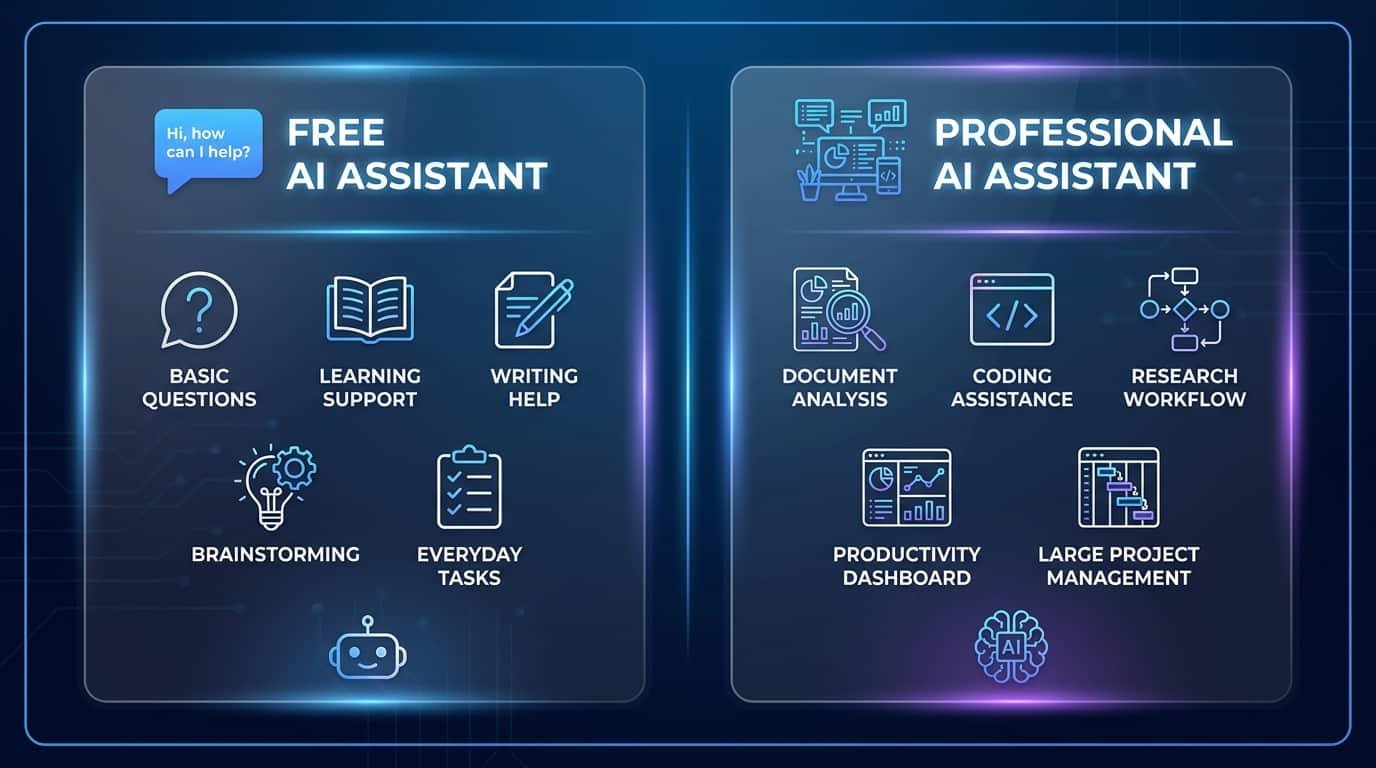
| Feature | ChatGPT Free | ChatGPT Plus |
| Monthly cost | Free | $20/month |
| Basic AI chat | Available | Available |
| Writing help | Available | Available |
| Learning support | Available | Available |
| Advanced AI access | Limited | Expanded |
| Usage limits | Lower | Higher |
| Large workflows | More restrictions | Better suited |
| Professional use | Good for basic tasks | Better for regular users |
| Advanced tools | Limited access | More access |
Does ChatGPT Plus Actually Give Better Answers?
Sometimes, but the biggest advantage is not automatic answer quality.
Many users misunderstand this.
They think:
“After upgrading, every answer will become perfect.”
That is not true.
Better results usually come from:
- Better prompts
- More context
- Clear goals
- Human review
ChatGPT Plus helps because it gives you more opportunities to complete complex work without interruptions.
Think of it like a professional workspace.
A basic tool can complete simple jobs.
A more advanced tool helps when the workload increases.
Real-Life Examples: When ChatGPT Plus Saves More Than $20
ChatGPT Plus becomes financially valuable when it saves more time, effort, or money than the monthly subscription cost.
The easiest way to understand this is through real situations.
Example 1: Content Writers and SEO Professionals
A professional writer may use ChatGPT for:
- Topic research
- Competitor analysis
- Article outlines
- Content drafts
- Editing
- SEO improvements
Without AI:
A long article may take several hours.
With AI assistance:
The writer can spend less time on repetitive tasks and more time improving quality.
Example:
A writer saves:
- 30 minutes on research
- 1 hour on editing
- 30 minutes on formatting
Total saved:
2 hours per project
If the writer completes several projects monthly, the value can easily exceed $20.
Example 2: Students and Researchers
Students can benefit when their work involves large amounts of information.
Useful tasks:
- Summarizing research papers
- Creating study notes
- Explaining difficult concepts
- Preparing presentations
Example:
A student uploads lecture material and asks:
“Create revision notes with important points and possible exam questions.”
This can reduce preparation time.
However, students should still verify information and understand the material instead of copying AI responses blindly.
Example 3: Developers
Programmers can use ChatGPT for:
- Understanding errors
- Reviewing code
- Learning new frameworks
- Planning solutions
Example:
A developer spends two hours searching for the cause of a coding issue.
ChatGPT may help identify possible solutions faster.
The value comes from reducing wasted time.
Example 4: Small Business Owners
Business owners can use AI for:
- Product descriptions
- Marketing ideas
- Customer emails
- Business planning
- Social media content
Instead of hiring help for every small task, AI can assist with first drafts and ideas.
How to Decide If ChatGPT Plus Is Worth It for You
The best way to decide is not by looking at features. Look at your personal usage and the value you receive.
Ask yourself:
Do You Use ChatGPT Frequently?
If you use it:
- Daily
- For work
- For study
- For projects
Plus becomes more useful.
If you use it once a week, Free may be enough.
Does ChatGPT Save You Time?
Calculate:
Before AI:
- Research takes 3 hours
- Writing takes 2 hours
With AI:
- Research takes 1 hour
- Writing takes 1.5 hours
You saved time.
If that saved time has value, Plus may justify its cost.
Upgrade Checklist
Consider ChatGPT Plus if:
✓ You use AI every day
✓ You create professional content
✓ You work with documents
✓ You need advanced tools
✓ Free limits interrupt your work
Stay with Free if:
✓ You ask occasional questions
✓ You only need basic help
✓ You are still learning AI
Common ChatGPT Plus Problems and How to Fix Them
ChatGPT Plus improves access, but it does not remove every possible problem.
Problem 1: Paid but Features Are Missing
Possible reasons:
- Wrong account login
- Subscription not updated
- App/browser needs refreshing
Fix:
- Log out
- Log back in
- Check subscription settings
- Confirm the correct account
Problem 2: Still Reaching Limits After Upgrading
A common mistake is thinking Plus means unlimited usage.
It does not.
Better approach:
- Write clearer prompts
- Combine related requests
- Plan larger tasks properly
Problem 3: AI Answers Are Still Incorrect
ChatGPT can still make mistakes.
Always verify information related to:
- Finance
- Medical topics
- Legal decisions
- Business investments
Use AI as an assistant, not the final authority.
Mistakes Beginners Make After Buying ChatGPT Plus
Using It Only for Simple Questions
Many users pay for Plus but only ask basic questions.
Better uses:
- Research
- Planning
- Content creation
- Document analysis
Expecting AI to Replace Skills
ChatGPT helps you work faster.
It does not replace:
- Experience
- Creativity
- Decision-making
Writing Poor Prompts
Weak:
“Write a blog.”
Better:
“Write a beginner-friendly SEO article about website security. Include examples, FAQs, and practical tips.”
Clear instructions create better results.
Frequently Asked Questions About ChatGPT Free vs Plus 2026
Is ChatGPT Free good enough for everyday use in 2026?
Yes, ChatGPT Free is enough for most casual users. It works well for learning, simple writing, brainstorming, and general questions. Users who need AI for professional projects may find the free version limiting because they require more consistent access and advanced features.
Is ChatGPT Plus worth $20 per month?
ChatGPT Plus is worth it when it saves you more than $20 in time or productivity. Daily users such as writers, developers, researchers, and business owners are more likely to benefit because AI becomes part of their workflow.
Why are my ChatGPT Plus answers not perfect?
Because Plus improves access and capabilities, not human accuracy. AI can still make mistakes. Better prompts, clear instructions, and fact checking are necessary for reliable results.
Is ChatGPT Plus better than Claude or Gemini?
The best choice depends on your needs. ChatGPT Plus is useful for users who want a broad AI assistant for writing, coding, research, and creative tasks. Compare tools based on your workflow instead of choosing only by popularity.
Is it safe to upload files to ChatGPT?
You should avoid uploading highly sensitive information. Remove private data such as passwords, financial details, and confidential documents unless you understand the privacy settings and risks.
Final Verdict: Should You Upgrade From ChatGPT Free to Plus?

Upgrade to ChatGPT Plus if AI has become an important part of your daily work, study, or creative process. Stay with ChatGPT Free if you only need occasional help.
The Free plan is already powerful and can handle many everyday tasks.
The Plus plan makes more sense for users who need:
- Higher usage limits
- Advanced AI capabilities
- Better support for large projects
- More professional workflows
The smartest approach is simple:
- Use ChatGPT Free first.
- Identify where you face limitations.
- Upgrade only when Plus solves a real problem.
The goal is not to pay for more features. The goal is to choose the plan that gives you the best value for the way you actually use AI.
If you want to continue learning, explore related guides about ChatGPT features, AI productivity methods, and practical ways to use artificial intelligence for work, study, and business.